
Choosing your organization's currency
PLN, EUR, USD, GBP, CZK and more - one setting for the whole bakery.
Last updated:
Supported currencies
BakePilot supports 11 currencies: PLN (Polish zloty), EUR (euro), USD (dollar), GBP (pound), CZK (Czech koruna), CHF (Swiss franc), SEK, NOK and DKK (Scandinavian kronor), HUF (forint) and RON (leu). You set the currency once for the whole organization - it applies to all prices, new orders, quotes, invoices and reports.
- 11 currencies to choose from a list
- One setting for the whole organization
- Currency symbol (zł, €, $, £, Kč, kr, Ft, lei) shown next to amounts in the app
- Applies only to documents created after the change
Changing the currency
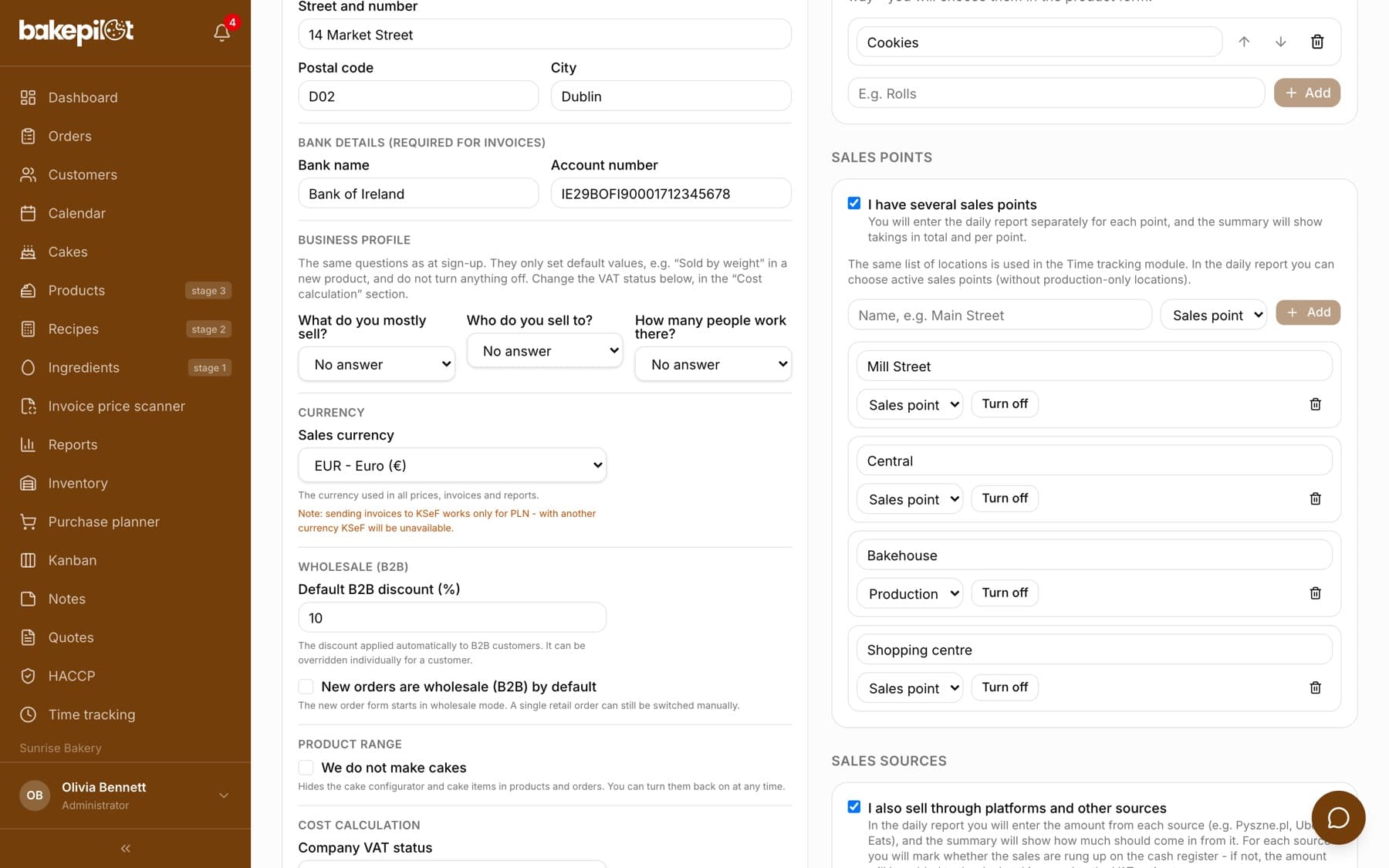
You change the currency in Settings, in the “Organization” section, in the “Sales currency” field. Below the field you see the description “The currency used in all prices, invoices and reports.”, and for a currency other than PLN an extra warning that sending invoices to KSeF (Poland's National e-Invoicing System) will be unavailable.
- Open “Settings” and go to the “Organization” section
- In the “Sales currency” field, choose a currency from the list, e.g. “EUR - Euro (€)”
- Click “Save” below the organization form
Past documents
Every order, quote, invoice, delivery note (WZ) and daily report remembers the currency it was created in. If you change the organization's currency from PLN to EUR, existing documents stay in PLN - you see the original amount, not a converted one. This matters for accounting and audits.
- The currency is saved in the document when it is created
- Changing the organization's currency does not update old documents
- Every document is shown in its original currency, including on lists
Tip: Totals in Reports and Analytics assume a single currency - after changing the organization's currency, analyze summaries covering both periods separately for each currency.
German VAT rates
For bakeries that settle in euro, BakePilot shows German VAT rates on the invoice instead of Polish ones: “19% (DE - standard)”, “7% (DE - baked goods, hotels)”, 0% and “befreit (DE - exempt)”. The list of rates changes automatically once you set the currency to EUR. With the other currencies you see the full list of Polish and German rates.
- EUR: 19%, 7%, 0%, befreit
- PLN: 23%, 8%, 5%, 0%, ZW, NP
- On the printed invoice the rate appears in its short form, e.g. “7%”
KSeF for PLN only
KSeF (Poland's National e-Invoicing System) works only for invoices in Polish zloty. For documents in another currency BakePilot blocks sending - on the invoice card, instead of “Send to KSeF” you see a disabled “KSeF unavailable” button with the currency code and the hint “Your currency (EUR) is not supported by KSeF. KSeF is available only for PLN.”
- KSeF = PLN only
- The button is blocked for EUR, USD and the other currencies
- You print an invoice in another currency or save it as a PDF from the print window
- Your BakePilot subscription is billed in PLN regardless of your sales currency