
Changing the app language
Each employee chooses their own language: Polish, English or Ukrainian. Documents for customers stay in Polish.
Last updated:
Who it is for
The app is available in Polish, English and Ukrainian. The language is a personal setting, not a bakery setting: the owner works in Polish, while a baker from Ukraine on the same company account sees their screens in Ukrainian. The choice does not change prices, currency, date format or taxes - these depend on the company settings.
- The entire app interface is available in English and Ukrainian: menu and login, dashboard, orders with deliveries and delivery notes (WZ), customers, calendar, cakes, products and price lists, recipes and production from a recipe, ingredients and the invoice price scanner, inventory, the purchase planner and shopping list, Kanban, notes, reports, analytics, quotes and contracts, invoices and KSeF (Poland's National e-Invoicing System), HACCP, Time tracking with the kiosk, Finance, plan and payments, and Settings
- Documents for your customers and for authorities stay in Polish - details below, in the section “What stays in Polish”
- Names of products, recipes and ingredients you enter yourself are not translated
How to change the language
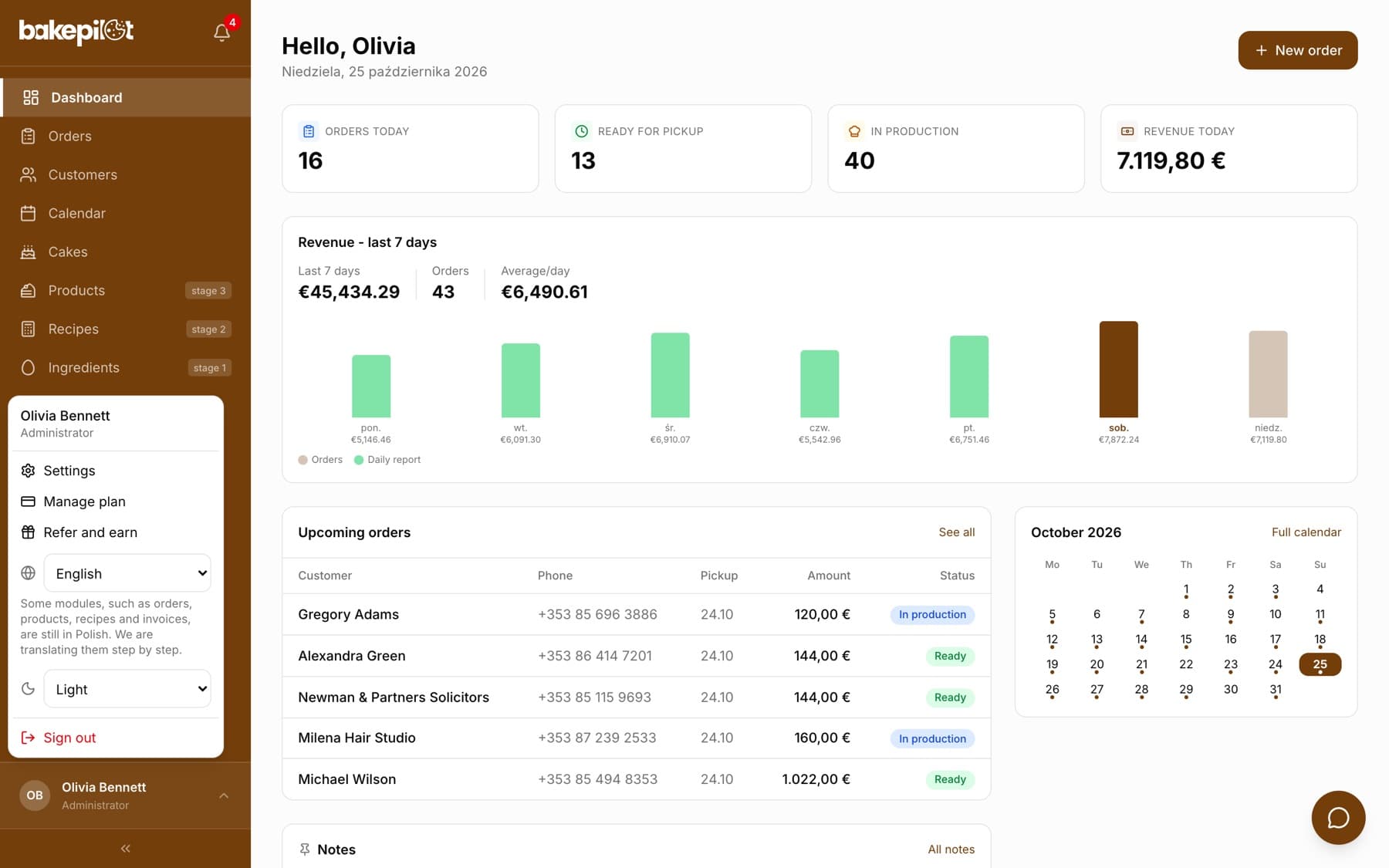
The switch is in the user menu and on the login screen. The change is saved to your account, so when you log in on another phone or computer, the app opens in the language you chose.
- Click your name at the bottom of the sidebar - on a phone, the circle with your initials in the top right corner
- In the field with the globe icon, choose “Polski”, “English” or “Українська”
- The page reloads in the new language
Tip: You can also choose the language before logging in - in the top right corner of the login screen, before you enter your e-mail and password.
Time tracking kiosk
On the shared tablet used to clock in and out, the language is set by the administrator in the Time tracking module. For the kiosk device you choose the “Screen language”, and for each employee the “Kiosk confirmation language”. Before entering their PIN, anyone can switch the screen language for a moment, and after clocking in or out the confirmation appears in that person's language. After a short period of inactivity the screen returns to the device language.
What stays in Polish
Everything that goes to your customers, the Sanepid (the Polish sanitary inspection) or your accountant is created in the company language, regardless of who clicked “Print” or “Export”.
- Invoices, delivery notes (WZ), quotes and contracts
- Product labels and the menu card
- HACCP printouts and summaries
- Exports to CSV, XLSX and PDF files, e.g. the stocktake
- Notifications sent to the whole team, e.g. a temperature alert
Frequently asked questions
Will changing the language change it for the other employees?
No. Each user has their own language. Your change only affects your account.
In which language does support reply?
In Polish or English. You can write your request in either of these languages through the help chat - on a computer, the round button in the bottom right corner; on a phone, the speech bubble icon in the top bar.
Will there be more languages?
Yes, we are planning German, French, Czech, Hungarian and Slovak.