
Feature · Kanban
Every team member knows what to do, without asking you
The Kanban board shows what is in the queue, what is in progress and what is ready. Your baker looks at the board instead of waiting for your instructions.
Available from the Podstawowy (Starter) plan - from 98 PLN/month + VAT.
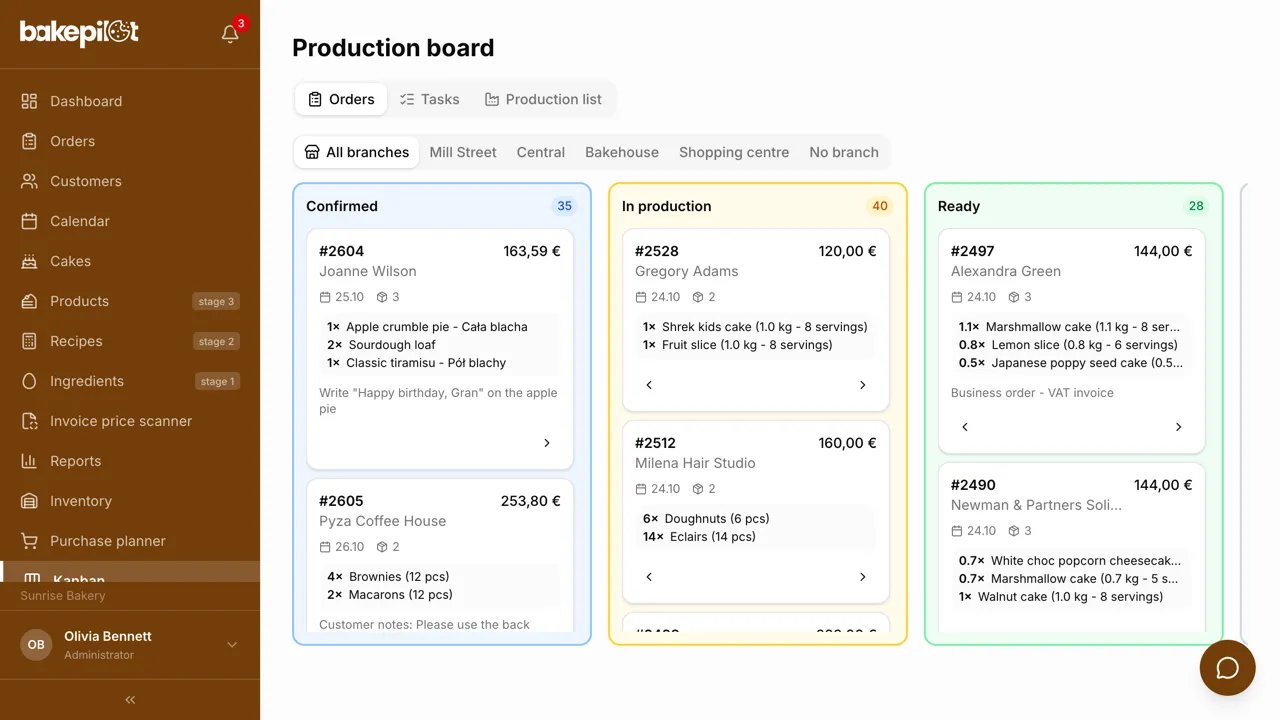
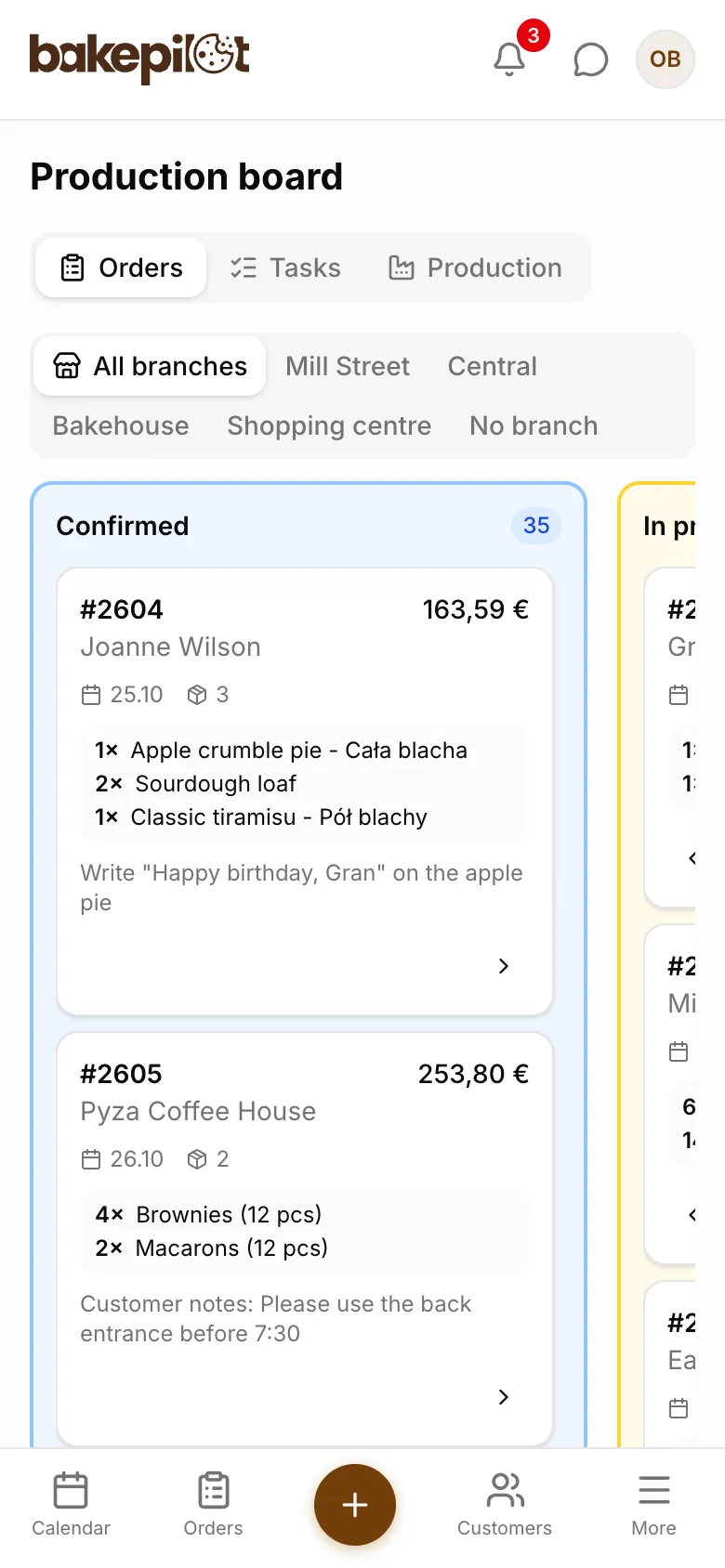
Columns: Confirmed / In production / Ready / Handed over
Simple, clear columns you can read from across the kitchen. Each order is a card with the customer name, the product and the pickup date. You move a card to the next column with a single gesture.
- 4 columns matching the production stages
- Drag and drop
- Next and previous status buttons on the card
- Pickup date visible on every card
- Quick preview of order details
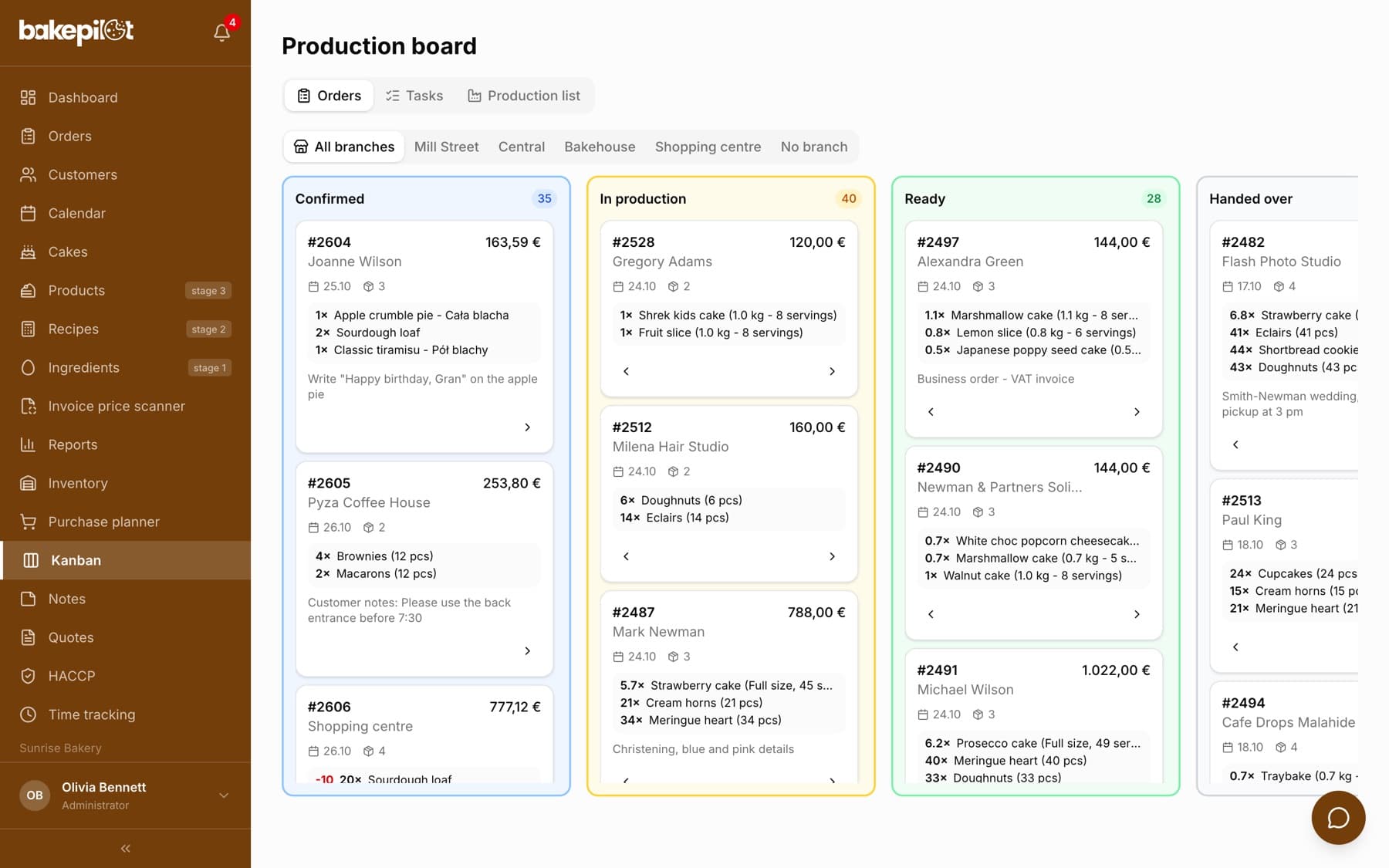
The board on a tablet or monitor in the kitchen
Open the board in a browser on a tablet or monitor in the kitchen. The whole team sees what needs to be done. No paper lists, no more “what should I do now?”. Changes made on other devices show up after you refresh the page.
- Clear cards with the customer, products and pickup date
- Works on any device with a browser
- Production list: produced, left over, waste (Mistrzowski (Master) plan)
- Production plan for the whole week (Mistrzowski plan)
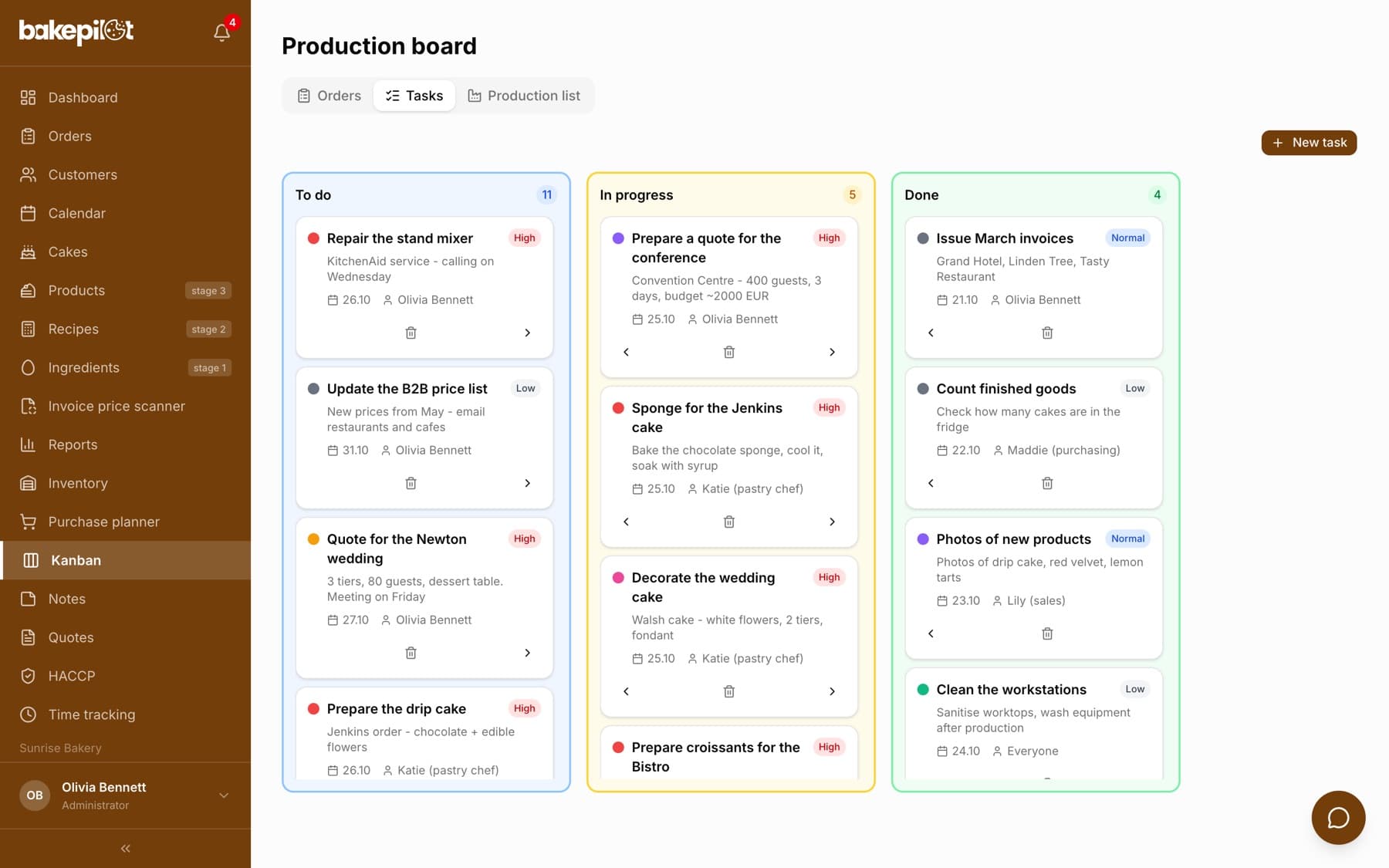
Tasks with priority and due date
In the Tasks tab (from the Profesjonalny (Professional) plan up) you add tasks for the team with a description, priority, due date and assignee. You move tasks between the To do, In progress and Done columns.
- Assignee recorded on the task
- 3 priority levels: low, normal, high
- Due date and task color
- Separate production tasks (e.g. “bake the sponge”)
What's in each plan
From our pricing - the same rules apply in the app. Plan names stay in Polish, as in the app: Podstawowy (Starter), Profesjonalny (Professional) and Mistrzowski (Master). Prices in PLN per month, plus VAT.
| Podstawowy98 PLN | Profesjonalny189 PLN | Mistrzowski319 PLN | |
|---|---|---|---|
| Order Kanban | |||
| Task Kanban | |||
| Production list |
Frequently asked questions
Do I need a special monitor for the kitchen?
No. Any tablet, laptop or monitor with a browser will do. You can even use an old iPad.
Can I split work into production stages?
Yes, as separate tasks in the Tasks tab (e.g. “bake the sponge”, “make the cream”, “decorate”). Each task can have a different assignee.
See Kanban in action
Full access to every feature. 20 days free. No credit card required.