
User profile and changing your password
Your first and last name in the app, your account e-mail and role, and changing your password - in Settings, for every role.
Last updated:
Profile: first name, last name, e-mail and role
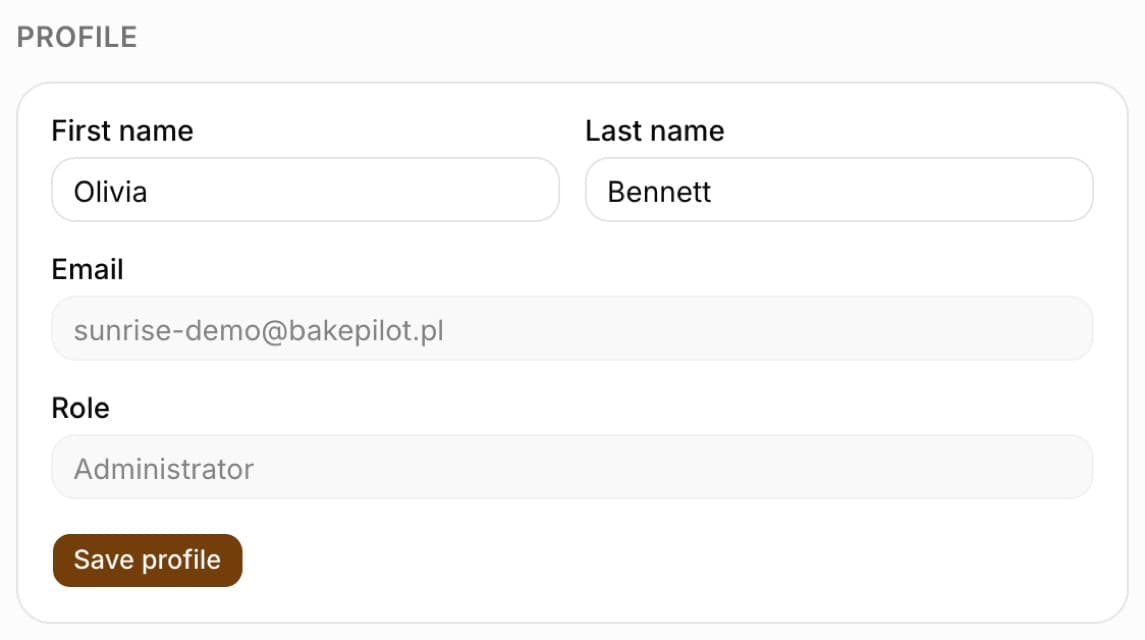
The “Profile” section is the first one in Settings and everyone sees it, whatever their role. The first name from your profile greets you on the Dashboard (“Hello, …”), and your full name appears in the user menu and next to entries you add (e.g. who filled in a HACCP form). The e-mail and role are read-only: the e-mail is your login, and the role is assigned by the Administrator.
- Open Settings
- In the “Profile” section, edit the “First name” and “Last name” fields
- Click “Save profile” - “Saved!” appears below the button
- “Email” and “Role” are grayed out - you cannot change them in your profile
- An employee sees a blue “Sub-account” box above the sections with the name of their role and company: company details are changed by the Administrator
- You choose the app language in the user menu - see the article “Changing the app language”
- That is also where you turn on dark mode - see the article “Dark mode”
Changing your password
You change your password in the “Change password” section in Settings. First you enter your current password - a safeguard in case someone takes over an open session on a shared computer.
- In Settings, scroll to the “Change password” section
- Enter your “Current password” - the one you log in with
- Enter the “New password” and type it again in the “Repeat password” field
- Click “Change password” - “The password has been changed!” appears
- The new password must have at least 8 characters
- A password that has appeared in a data breach of another service will be rejected - choose a different one
- After several wrong attempts at the current password you have to wait 15 minutes
- The demo account has no “Change password” section
Tip: Don't remember your current password? Sign out and click “Forgot your password?” on the login screen - a link to set a new one will be sent to your e-mail. An employee with a temporary password from the Administrator is asked to change it at first login.
Frequently asked questions
How do I change my account e-mail address?
In the profile the e-mail is read-only because it is used to log in. Write to us through “Help and support” in the app or at kontakt@bakepilot.pl.
Can I change my own role?
No. An employee's role is assigned and changed by the Administrator in Settings, in the “Employees” section.
My password is rejected even though it has 8 characters. Why?
Most often because the password appeared in a known data breach of another service or is too simple. The app then shows a message - choose a different, longer password with letters and digits.