
Feature · Recipes
All your recipes in one place, scaled to any production size.
No more notebook where everyone does it their own way. A recipe has ingredients in grams, stages, a photo of the finished product and a production method, and BakePilot scales it to as many pieces, kilograms or trays as you need to bake.
Available from the Profesjonalny (Professional) plan - from 189 PLN/month + VAT.
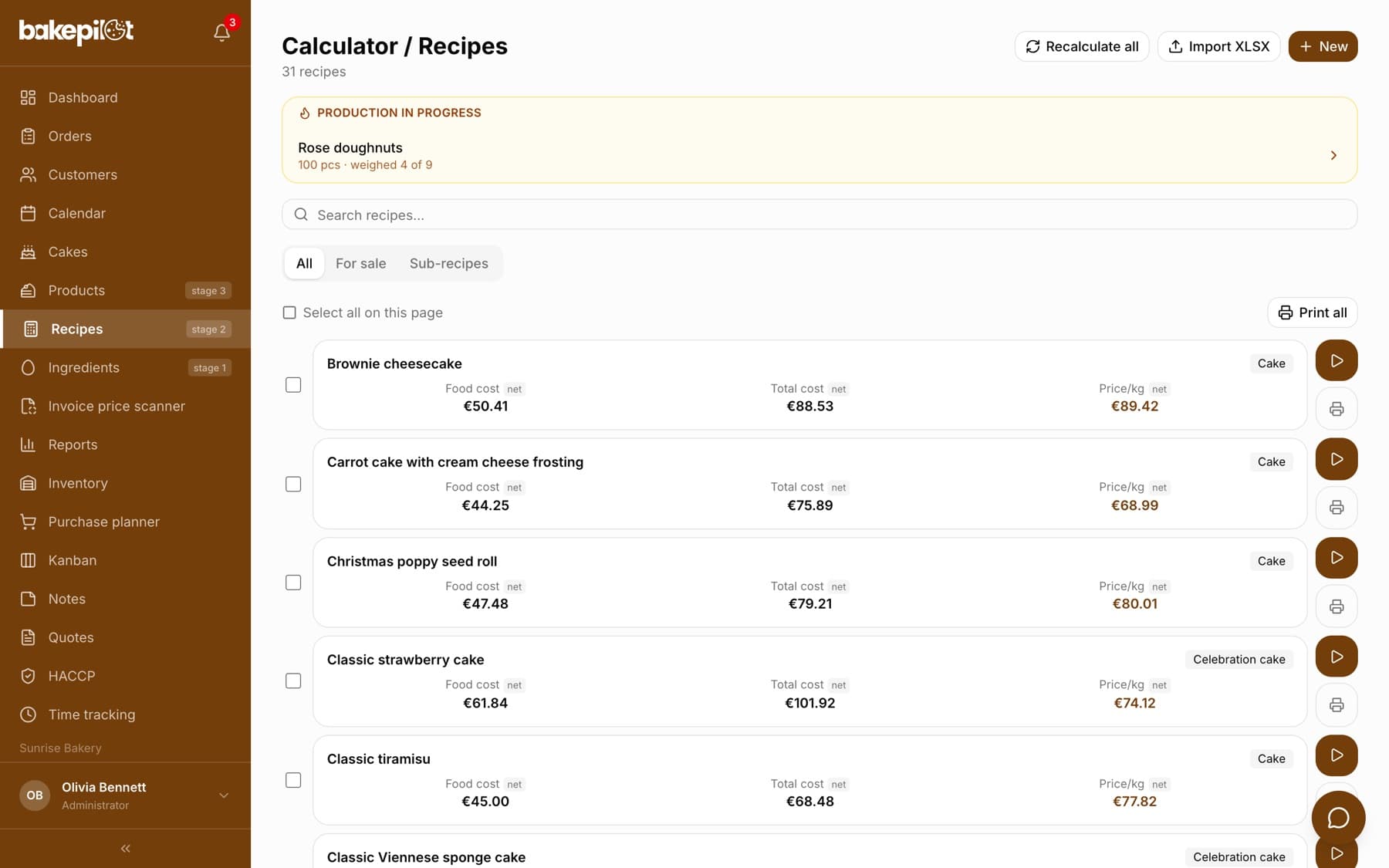
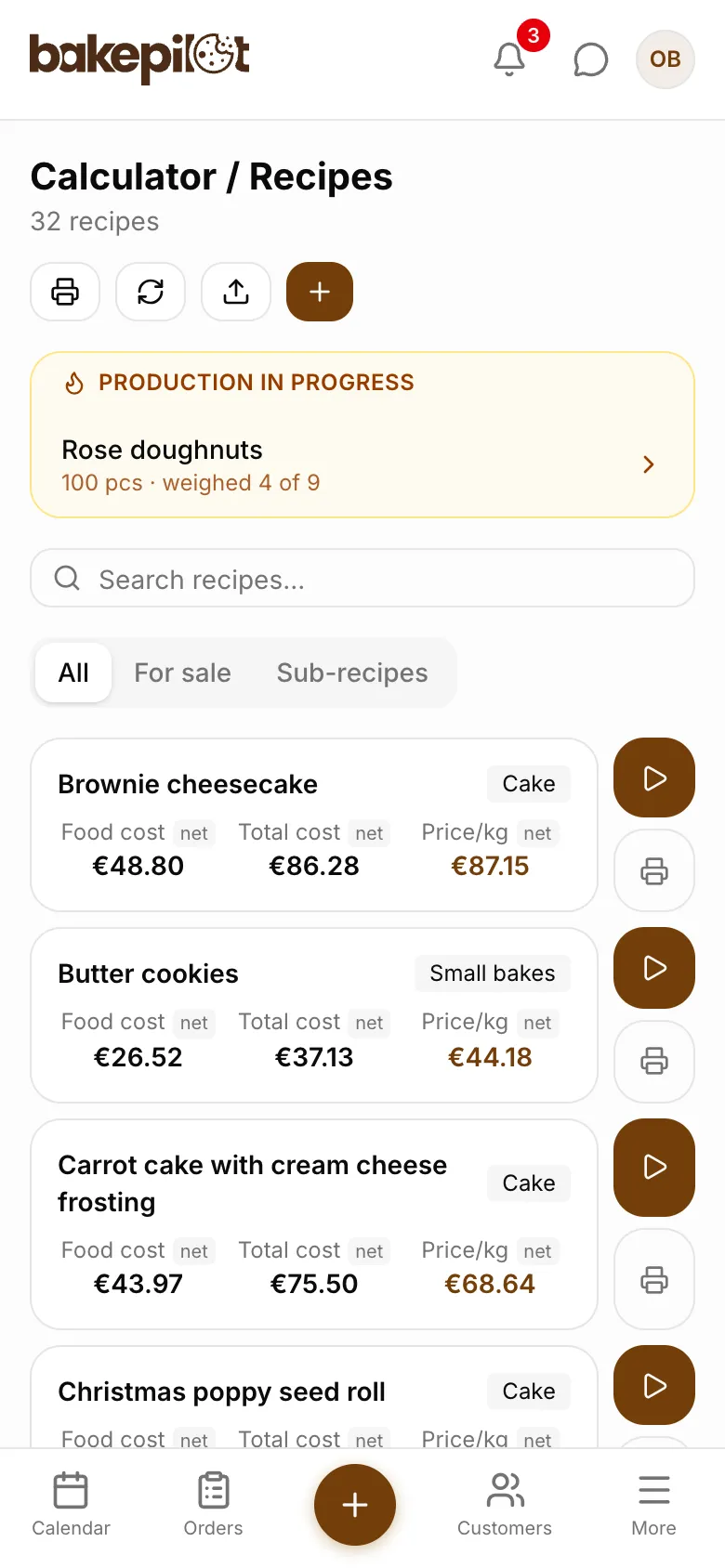
A recipe the whole team works from
You save a recipe once: ingredients from your database in grams or in packages, the batch weight and what the batch yields - trays, pieces or kilograms. You add a photo of how the finished product should look and a “Production method” with steps, temperatures and times. You group ingredients into stages (Stage I, Stage II), so a new person in the kitchen knows in which order to weigh what. Creams, sponges and glazes are saved as sub-recipes and inserted into other recipes.
- Ingredients in grams or in packages, the fields convert into each other
- “The batch yields”: trays, pieces or kilograms
- Production stages on ingredients (S1, S2…)
- A photo of the finished product and the production method
- Sub-recipes: a cream or a sponge as a separate recipe inserted into others
- Recipe import from Excel
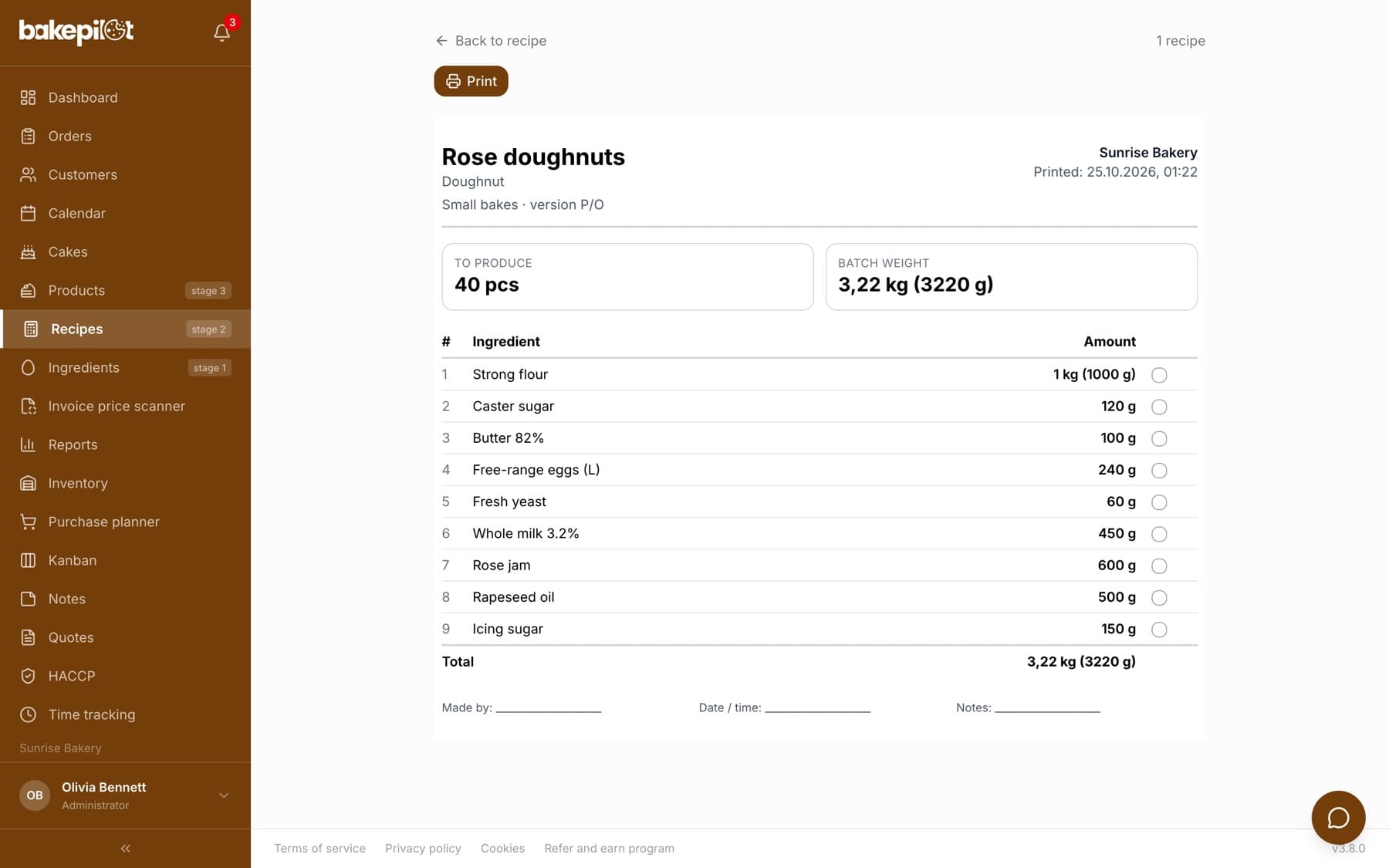
Recipe scaling and weighing mode
“Start production” asks how much you want to make: in the recipe unit (pieces, kilograms, trays), in portions, in batches or from one ingredient - “I have 4.5 kg of flour, make as much as possible”. The “How many batches you split it into” field splits the dough to fit your mixer's capacity. Then the weighing mode opens, with large rows for a tablet: for each ingredient you add the weighed amounts or tick it off as weighed to target. If someone pours in too much, the app offers to scale up the whole production by the percentage that makes the over-poured amount the new target. At the end it can deduct the amounts actually weighed from inventory.
- Size in pieces, kilograms, trays, portions, batches or from one ingredient
- Splitting into batches to fit your mixer's capacity
- Weighing mode stage by stage, on a tablet or touchscreen
- “Scale up production +X%” after over-pouring an ingredient
- Production progress is visible on every device, not just in one browser
- Deduction of the amounts actually weighed from inventory when you finish
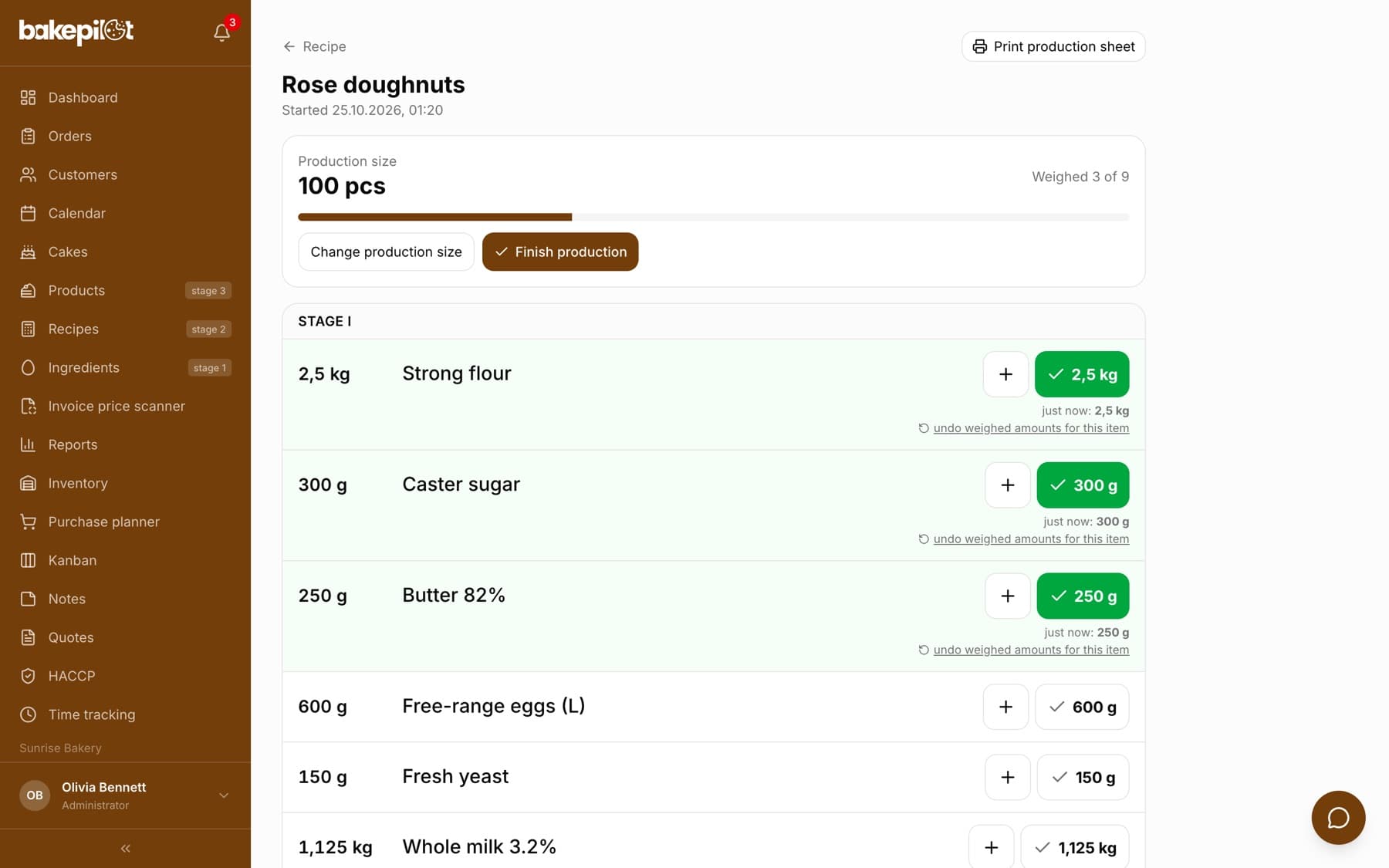
Recipe printouts and production sheets
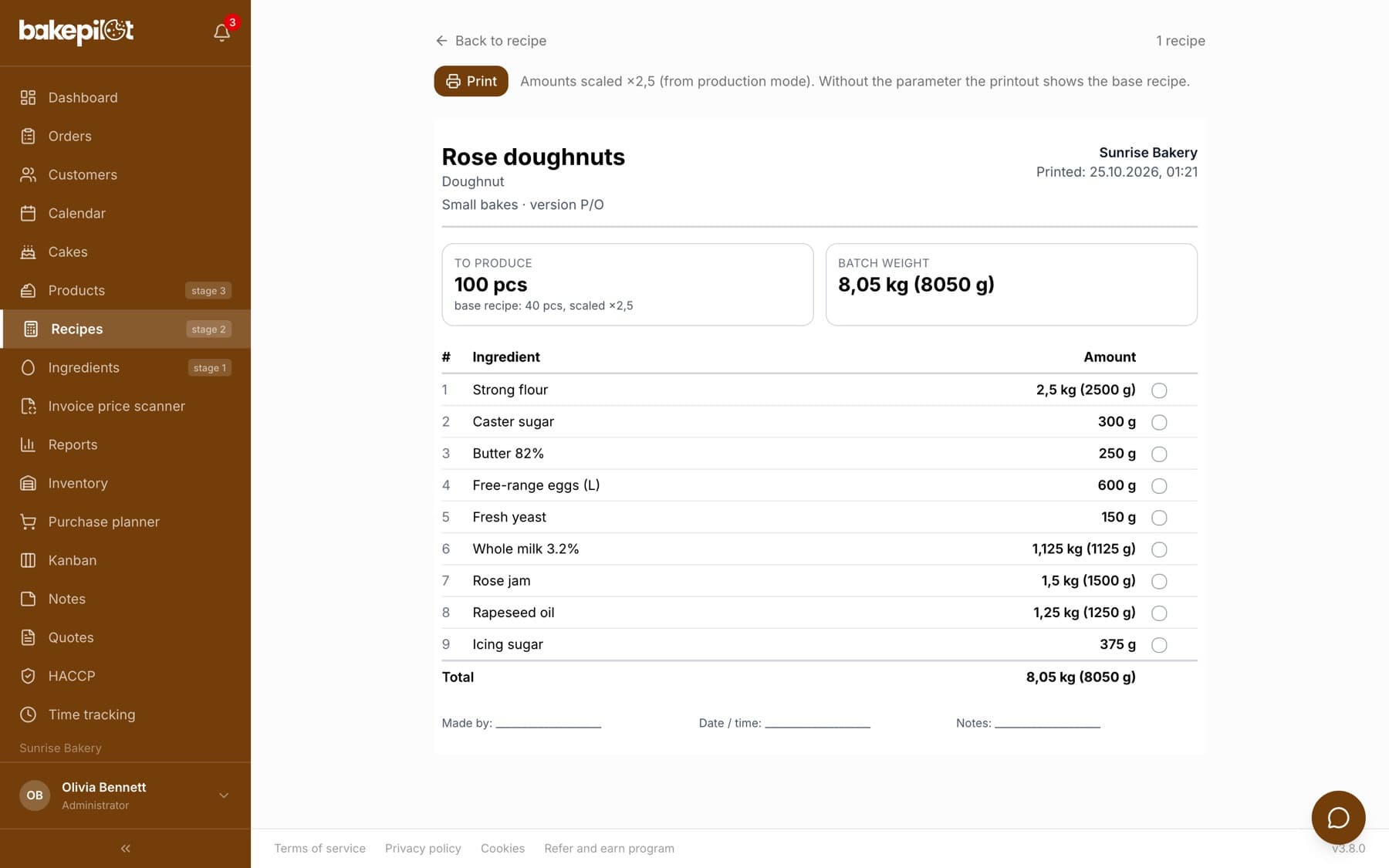
The “Print” button on the recipe card gives you a sheet for production: ingredients in grams (above a kilogram also in kilograms), sub-recipes marked “(sub-recipe)”, the batch weight and space for the baker's signature, with no prices or costs. Need a sheet for 100 pieces instead of the base 40? From the production screen you print a sheet with the scaled amounts and the multiplier, together with the production method. In the recipe list you select several recipes and print them at once, each on a separate page.
- Printout without prices, a sheet for the kitchen
- Production sheet at any size with a multiplier (e.g. ×2.5)
- “Print selected” and “Print all” from the recipe list
- Production method on the printout
What's in each plan
From our pricing - the same rules apply in the app. Plan names stay in Polish, as in the app: Podstawowy (Starter), Profesjonalny (Professional) and Mistrzowski (Master). Prices in PLN per month, plus VAT.
| Podstawowy98 PLN | Profesjonalny189 PLN | Mistrzowski319 PLN | |
|---|---|---|---|
| Cost and recipe calculator | |||
| Sub-recipes (a recipe inside a recipe) | |||
| Product photo, description and steps in the recipe | |||
| Recipe printouts | |||
| Recipe import | |||
| Purchase planner | |||
| Production from a recipe (weighing mode) |
Frequently asked questions
How are recipes different from the cost calculator?
It is the same recipe, seen from two sides. On the Calculator page we describe cost: food cost, energy, markup and the price with margin. Here a recipe is a set of instructions for production: grams, stages, scaling to size, weighing and printing. The cost updates on its own from current ingredient prices.
Can I convert a recipe from a tray to pieces or to a larger batch?
Yes. The “Start production” screen scales a recipe to any number of pieces, kilograms, trays, portions or batches, and also from the amount of a single ingredient. You print the scaled sheet with the “Print production sheet” button.
Which plan includes recipes?
Recipes, sub-recipes, the photo and production method, printing and import are available from the Profesjonalny (Professional) plan up. Production from a recipe, meaning scaling with the weighing mode and the production sheet, is in the Mistrzowski (Master) plan.
Does the app work with a scale?
For now, amounts in the weighing mode are entered by hand. Integration with a scale is planned.
See Recipes in action
Full access to every feature. 20 days free. No credit card required.