
Administrator password
Lock Finance and Time tracking away from the rest of the team, even when you all work on one account.
Last updated:
Why an extra password
Finance and Time tracking show employees' wages, purchase costs and the tax estimate. If everyone has their own account, roles are enough - only the Administrator sees these modules. But in many bakeries the whole team works on one account, and then everyone at the computer is an administrator. The administrator password locks these two modules regardless of roles.
- It protects wages, costs, margins and taxes
- It only applies to Finance and Time tracking - the rest of the app works as before
- It is optional - until you set it, nothing changes
- It is part of the Mistrzowski (Master) plan, together with Finance and Time tracking - in lower plans the section does not appear in Settings
Tip: If you can create separate accounts for your employees, do it - roles are more convenient day to day. The administrator password is a solution for situations where one shared account stays.
How to set it
The password can only be set from a link in an e-mail. We send the first link right after sign-up to the address given when the account was created. You can send another one at any time from Settings - it goes to the address in the “Email” field in the “Organization” section. The link is valid for 48 hours.
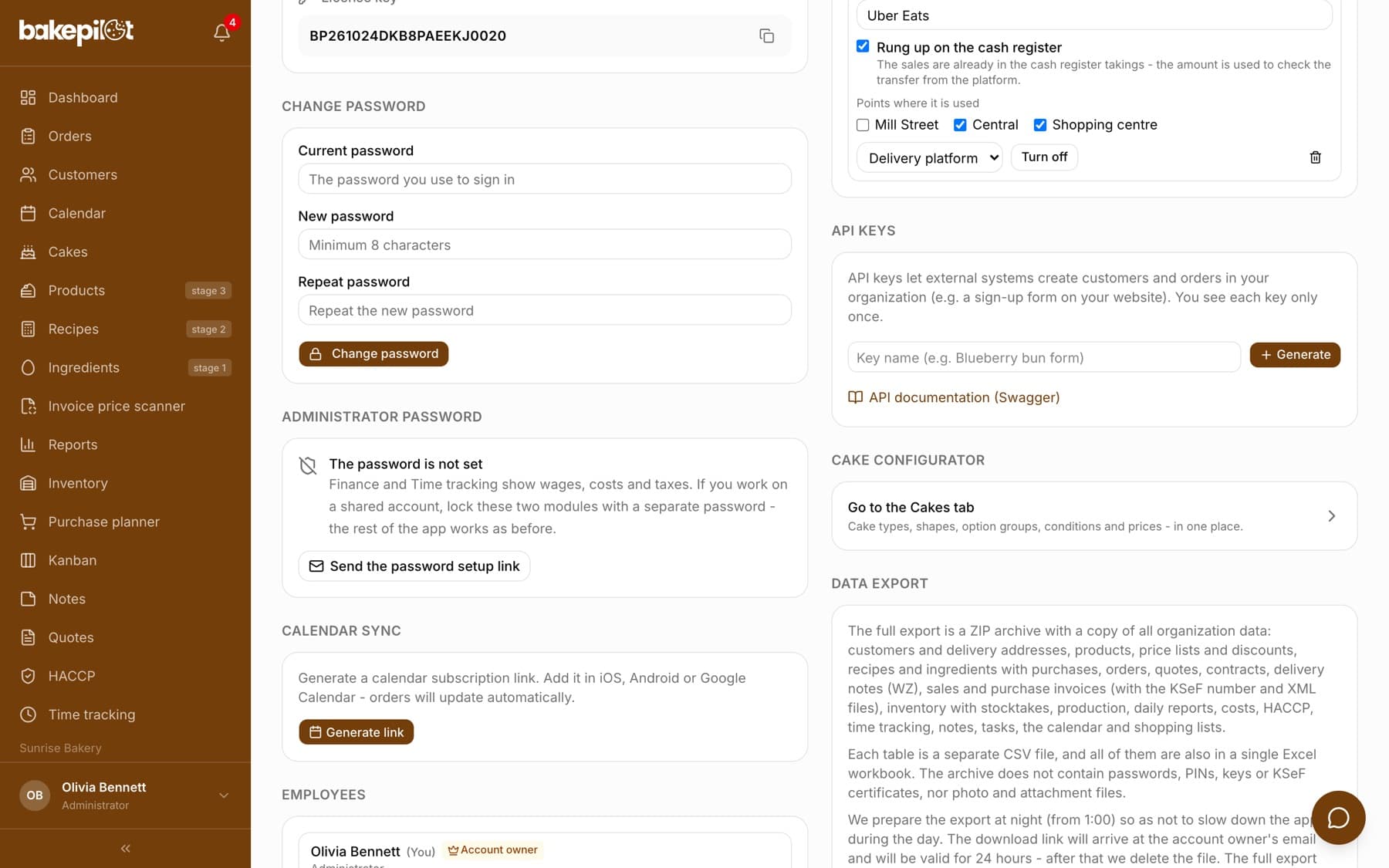
- Open Settings and find the “Administrator password” section
- Click “Send the password setup link”
- Open the e-mail in the company mailbox and click the link
- Enter a password (at least 8 characters), different from your login password, and save it
Tip: The password cannot be set from within the logged-in app, and that is intentional. If being logged in were enough, an employee on a shared account could change it themselves. Access to the company mailbox is what distinguishes the owner - so don't forward this link.
How it works day to day
When you open Finance or Time tracking, the app shows the screen “This module is locked with the administrator password” with an “Administrator password” field and an “Unlock” button. Once you enter the password, both modules stay open until you sign out - and only in this browser. Someone who logs in to the same account from another phone or computer will be asked separately.
- We ask once per session, not on every click
- Each device is unlocked separately
- Signing out closes access
- Five wrong attempts block unlocking for 15 minutes
Changing and turning it off
When the password is active, the section in Settings shows the date it was set and three buttons: “Change password” (you enter the current and the new one), “I forgot - send a link” (a new link to the company e-mail) and “Turn off”. Turning it off requires confirming with the current password using the “Turn off the password” button and restores the normal role permissions.
- “Change password” - the fields “Current password”, “New password”, “Repeat the new password” and the “Save new password” button
- “I forgot - send a link” - you don't need to remember the old password
- Changing the password ends unlocked sessions on other devices
- “Turn off” - Finance and Time tracking will be visible to everyone whose role has the permission
Tip: When an employee leaves, change the administrator password - this immediately cuts off all sessions in which the modules were open.
Frequently asked questions
Does this replace the login password?
No. You log in to BakePilot as before. The administrator password is an extra question that only appears when you open Finance or Time tracking.
What happens to the password if I move to a lower plan?
Nothing deletes it. The “Administrator password” section disappears from Settings together with Finance and Time tracking, and when you return to the Mistrzowski plan the password works as before. The link from the e-mail cannot be used in a lower plan.
What if I don't have access to the company mailbox?
Change the “Email” field in the “Organization” section in Settings to an address you can access, then click “I forgot - send a link” or “Send the password setup link”.
Can an employee with the Baker role clock their own hours without this password?
Yes. The personal clock-in panel and the kiosk work as before - the password only protects the administrative view of Time tracking, i.e. the schedule, the whole team's attendance, leave and payroll.
Do I have to set it?
No. Until you set a password, Finance and Time tracking work exactly as before, on normal role permissions.