
Sub-recipes in recipes
Sponge, cream and icing as separate recipes linked to a product variant.
Last updated:
What a sub-recipe is
A sub-recipe is an ordinary recipe that has no product of its own for sale: light sponge, chocolate cream, icing, crumble. You make it exactly like any other recipe - with an ingredient list, batch weight and number of pieces or kilograms. The only difference is how you use it: you link it to product variants instead of to a product.
- A recipe with its own ingredients, without a product on the menu
- It has its own food cost and total cost, like any recipe
- It can be used by any number of products
- The cost is calculated from current ingredient prices
- In the recipe edit form choose the “Sub-recipe” category - the “Sub-recipes” tab on the recipe list then shows only sub-recipes, and “For sale” everything else
Tip: Keep sub-recipes in “Pieces” mode (e.g. 4 sponge layers) or “Kilograms” mode (1.5 kg of cream) - this decides what you enter the usage in on the variant: pieces or kilograms.
How to use a sub-recipe - through the variant's recipes
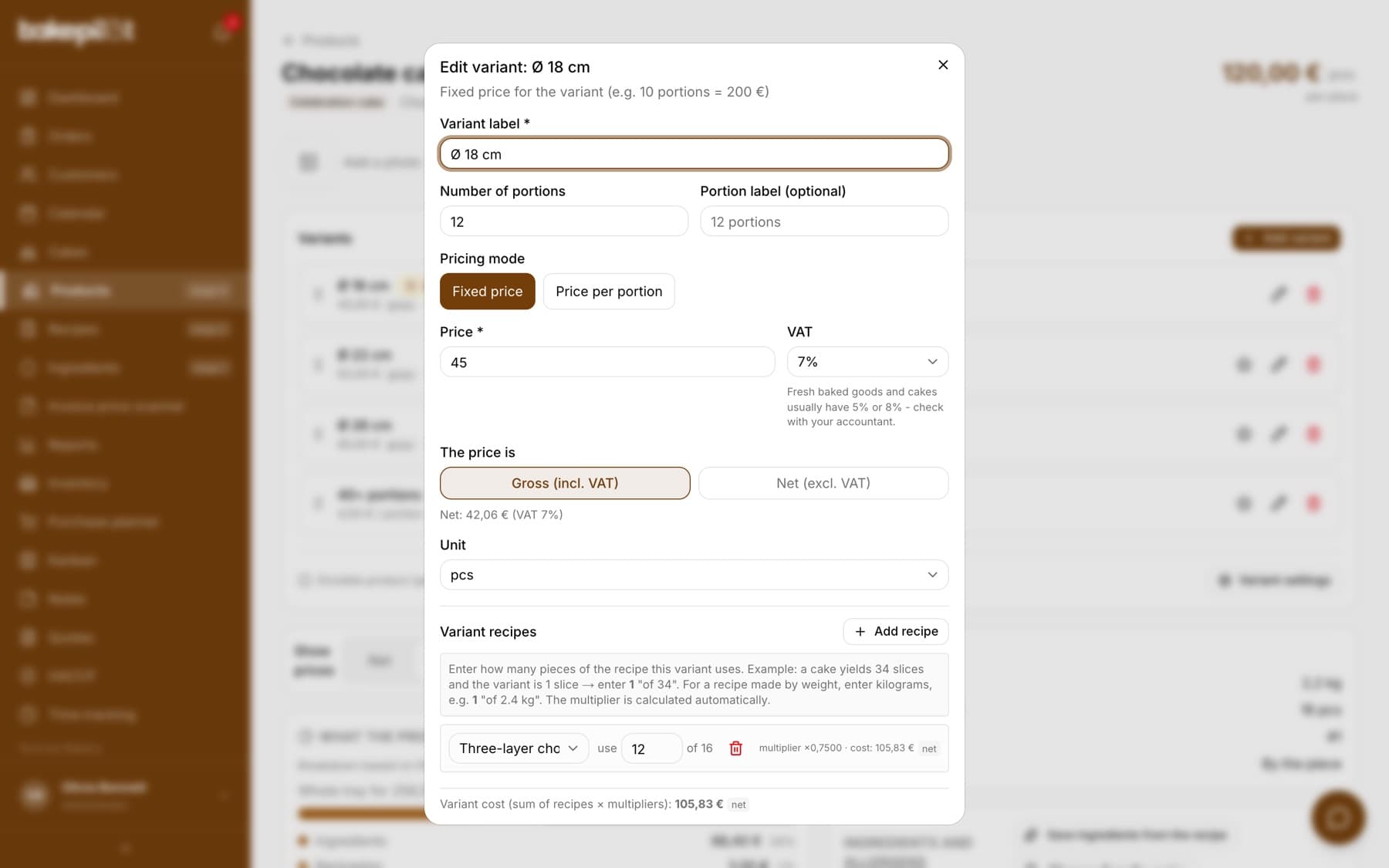
A celebration cake is sponge plus cream plus glaze. Instead of one huge recipe, make three separate ones and add all of them to one product variant. In the variant window you click “Add recipe” as many times as you need and enter the usage for each: “use 2 of 4” for the sponge, “use 0.5 kg of 1.5 kg” for the cream. The variant cost is the sum of the recipes multiplied by their usage - you see it at the bottom of the window as “Variant cost (sum of recipes × multipliers)”.
- A separate recipe for each sub-recipe: sponge, cream, glaze
- A product variant can have several recipes at once
- For each one you enter the usage: “use … of N” or “use … kg of N kg”
- Variant cost = sum of recipes × usage, calculated automatically
Tip: A change in the butter price recalculates the cream recipe, and the cream recalculates every variant that uses it - just click “Recalculate all” on the recipe list. Don't create a sub-recipe as an ingredient in the ingredient database - a manually entered price will drift away at the first change in raw material prices.
A sub-recipe inside a recipe
Since September 2026 you can insert a sub-recipe directly into another recipe, without going through a product variant. In the recipe form, below the ingredient search, there is the “Add a sub-recipe (another recipe)” field. You choose the cream recipe, enter how many grams go into the cake, and the cream cost is calculated together with the other ingredients. In the suggestion list you see straight away how much a kilogram of that sub-recipe costs.
- Make a separate recipe for the sub-recipe (e.g. cream) with its ingredients and batch weight
- In the parent recipe, click the “Add a sub-recipe (another recipe)” field
- Choose the recipe from the list - its cost per kilogram is shown next to the name
- Enter the usage in grams, just like for an ingredient; a sub-recipe kept in “Pieces” mode (e.g. dough for 10 bases) also has a “pcs” field - you enter the number of pieces, and the grams are calculated from the batch weight
- Using the whole sub-recipe? Click “whole batch” next to the name - the whole batch weight is entered in the grams field
- On the recipe card the sub-recipe is in the ingredient table with “(sub-recipe)” added, the price per kilogram and the cost; for a sub-recipe counted in pieces you also see “10 pcs × 70 g”
- “no data” in the cost column means the sub-recipe has no batch weight - fill it in on its card
- A sub-recipe brings in the cost of its ingredients and its own costs: oven and mixer electricity, water, cleaning
- The fixed cost markup is added only once, on the final recipe - it is not applied at every level
- A change in an ingredient price recalculates the sub-recipe, and then every recipe that uses it
- Loops are blocked: a recipe that already contains the one you are editing is not on the selection list
Tip: A sub-recipe must have its yield filled in (“The batch yields”). Without it the price per gram cannot be calculated, and when you select it you will see a message instead of an amount - we would rather say so plainly than put in a zero.
Ingredients and allergens with sub-recipes
The ingredient list and allergens for the label are generated from the recipe linked to the product, not from the variants' recipes. For a cake made of sub-recipes, link a recipe with the full set of ingredients to the product, or fill in the ingredients and allergens manually in the product edit form.
- The label reads the recipe from the “Recipe” field in the product window
- Variant recipes calculate the cost, but do not feed the ingredient list on the label
- For a cake made of sub-recipes: a combined recipe for the label or ingredients entered manually