
Scaling recipes
How a product variant uses part or a multiple of a recipe - and how to work out purchases for several orders.
Last updated:
Scaling through recipe usage
A recipe describes one batch: a whole tray, 40 pieces or 2.4 kg. A product variant says how much of that batch it uses. In the variant window you click “Add recipe” and enter the usage in the “use … of 40” field - 1 for one doughnut, 6 for a box, 20 of 20 for a whole tray. BakePilot calculates the multiplier itself and shows it under the row together with the cost.
- “use 1 of 40” - one piece from a batch of 40
- “use 20 of 20” - a whole tray; “use 10 of 20” - half
- A recipe by weight: “use 1 kg of 2.4 kg”
- Usage larger than the batch also works: “use 24 of 16” is one and a half recipes
- The multiplier and cost are shown under the recipe row
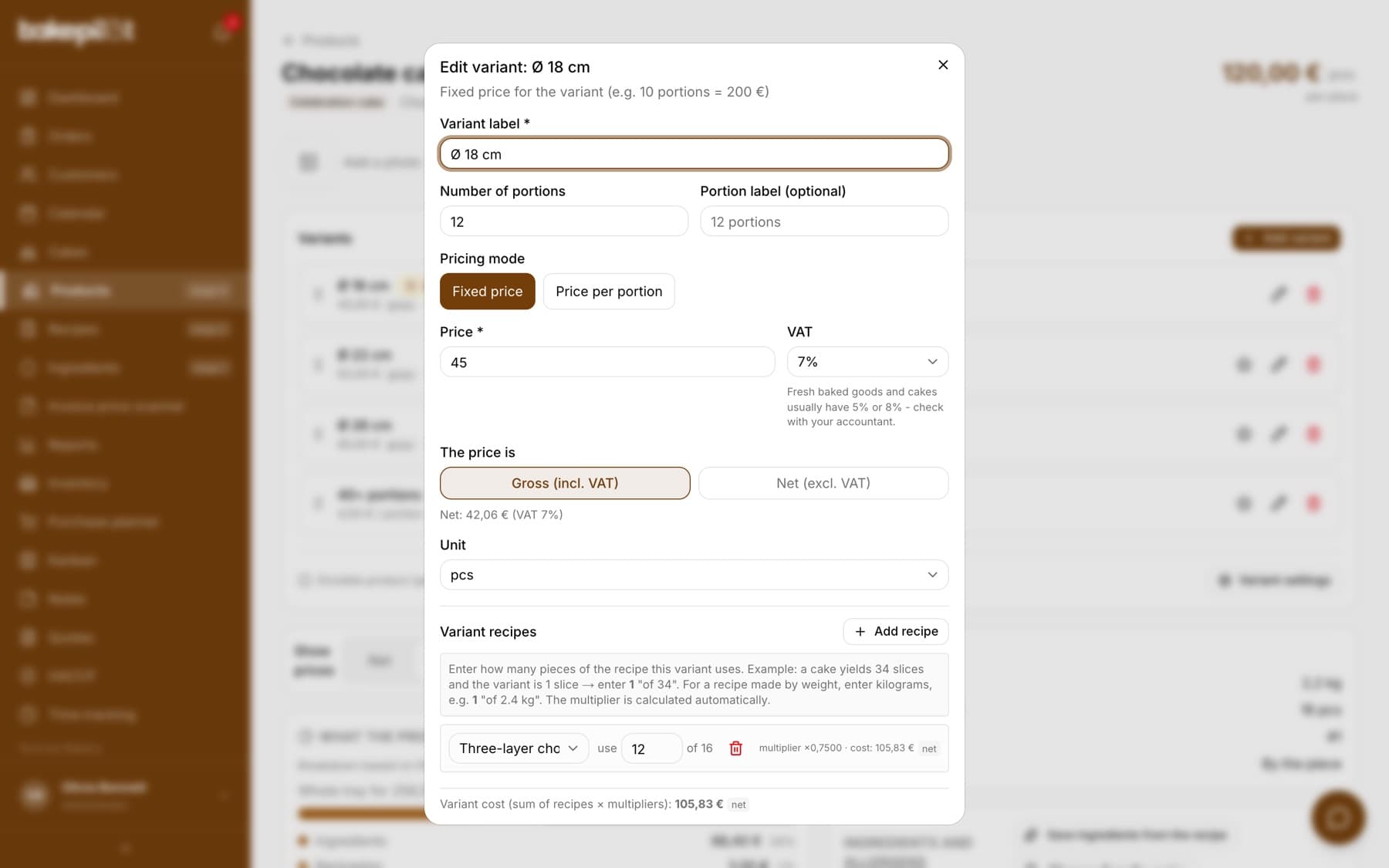
Tip: If the recipe has no number of portions or weight set, the variant shows a raw “multiplier” field instead of “use … of N”. In that case, fill in the weight or the number of pieces in the recipe.
Purchase planner for several orders
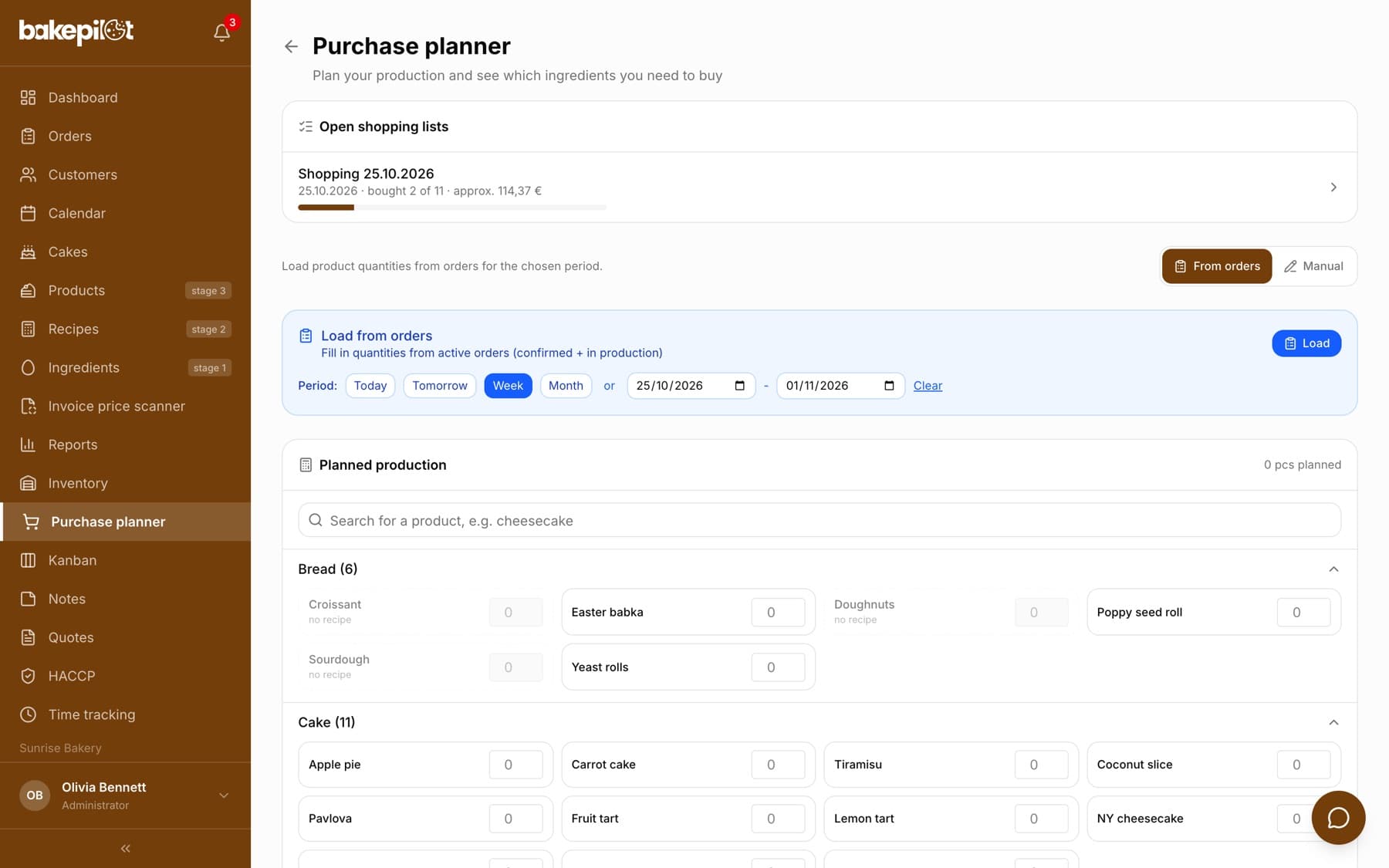
The purchase planner is a separate item in the menu (you can also open it from the Inventory screen). You set a date range or a ready-made shortcut and click “Load from orders” - BakePilot fills in the planned product quantities based on confirmed orders and orders in production, breaks them down into ingredients from the recipes and compares them with the stock level.
- Date range: ready-made shortcuts or your own “from - to”
- “Load from orders” - quantities from confirmed orders and orders in production
- Breakdown into ingredients and comparison with the stock level
- “Save shopping list” - a list to tick off on your phone in the shop, shared across your bakery
- Export the shopping list to CSV
Scaling with variants
If a product has variants (sizes, boxes, tray fractions), the cost of each is calculated separately from its recipes and usage. You set this once when creating the variant, and then the cost updates by itself after ingredient prices change and recipes are recalculated (“Recalculate all”).