
Demo mode
How to open the BakePilot demo without creating an account, and what you will find in it.
Last updated:
What demo mode is
The demo is a BakePilot panel filled with data from a sample bakery: orders, customers, products, recipes, HACCP entries and invoices. You can click around, add and edit things just like in your own account. Every night, early in the morning (around 4:00-5:00 Polish time), the data goes back to its starting state, so nothing you do stays permanently.
- Sample data in all modules
- You can add and edit - treat the demo like your own bakery
- Reset every night, early in the morning
- In the demo you cannot change the password, generate API keys, request a data export or delete the account
How to start the demo
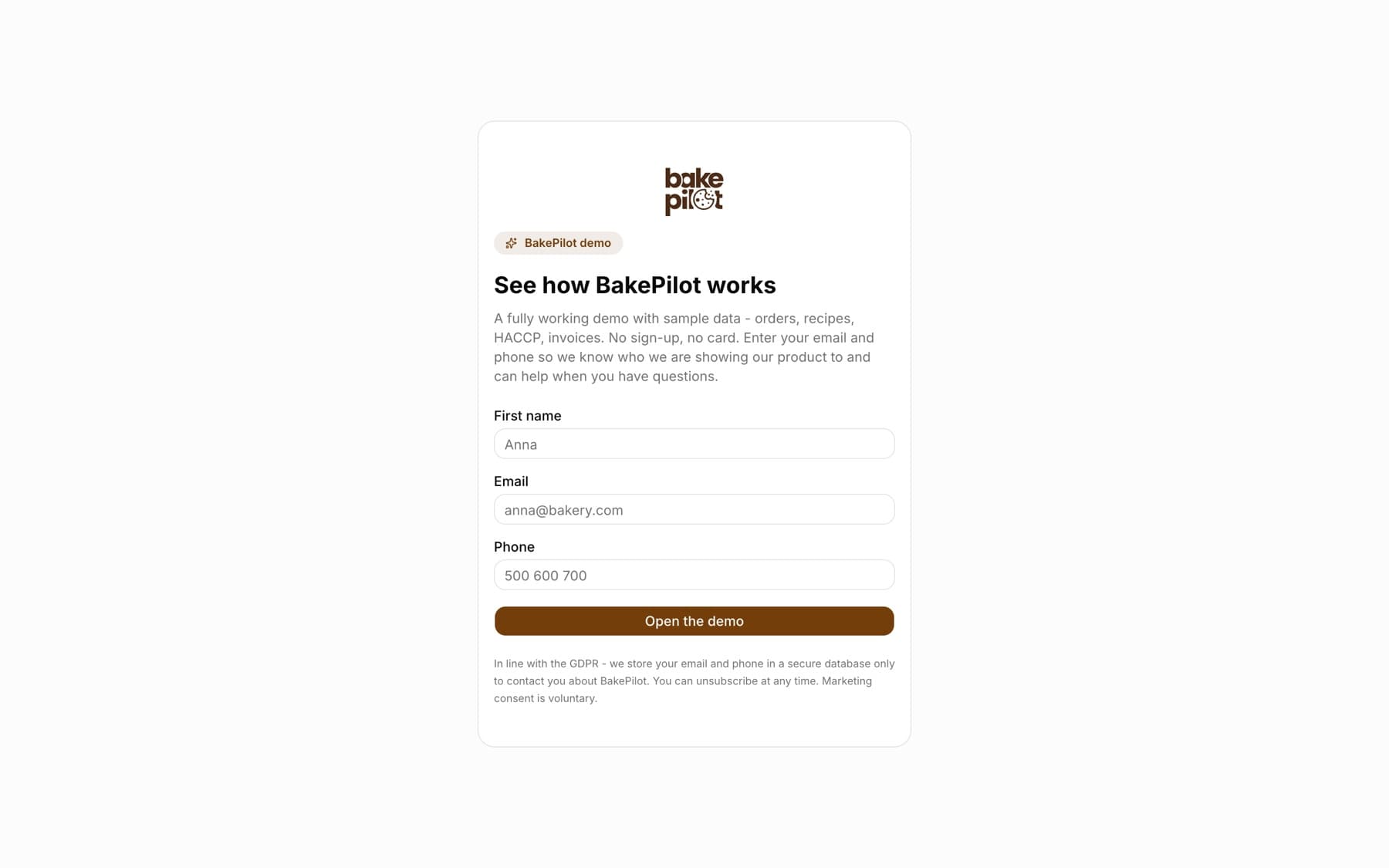
You open the demo at app.bakepilot.pl/demo?lang=en. You do not create an account or set a password - you only enter your first name, email address and phone number, and the panel opens right away.
- Go to app.bakepilot.pl/demo?lang=en
- Enter your “First name”, “Email” and “Phone”
- Click “Open the demo” - after a moment you will see the Dashboard of the sample bakery
Tip: Show the demo to your team at a meeting - everyone will see what everyday work in BakePilot looks like before you create your own account.