
Completing earlier periods and manual costs
Close the months before you started using the app and add documents from outside KSeF.
Last updated:
Completing a period in bulk
When you start using the Finance tab in the middle of the year, previous months have no split of takings by rate. Correcting thirty daily reports one by one would be a punishment, so there is a shorter way: you enter the split once, for the whole period, based on the monthly cash register report. The “Complete the period in bulk” button appears under the gaps box when there are days without a split in the period or no daily reports at all.
- In the “Finance” tab, choose the period you want to close
- Under the gaps box, click “Complete the period in bulk”
- In the “Complete the split for …” window, check “Takings for the whole period (this is what it should add up to)” and “Of which days without a daily split”
- Choose “I am entering gross amounts” or “I am entering PTU amounts (tax)” and copy the amounts per rate from the monthly cash register report
- Click “Save and recalculate VAT”
Tip: The monthly fiscal report is the same document you usually take to your accountant - just copy the amounts per rate from it.
Nothing is counted twice
You can safely combine both methods. If there are days with a daily split in the period, they take priority, and the bulk entry fills in only the rest - in proportion to the takings from the remaining days. In the window you see the “Of which goes into the calculation” row, which is the part of the amount that falls on days without a split.
- Days with a daily split take priority
- The bulk entry closes only the days without data
- No risk of counting takings twice
Costs added manually
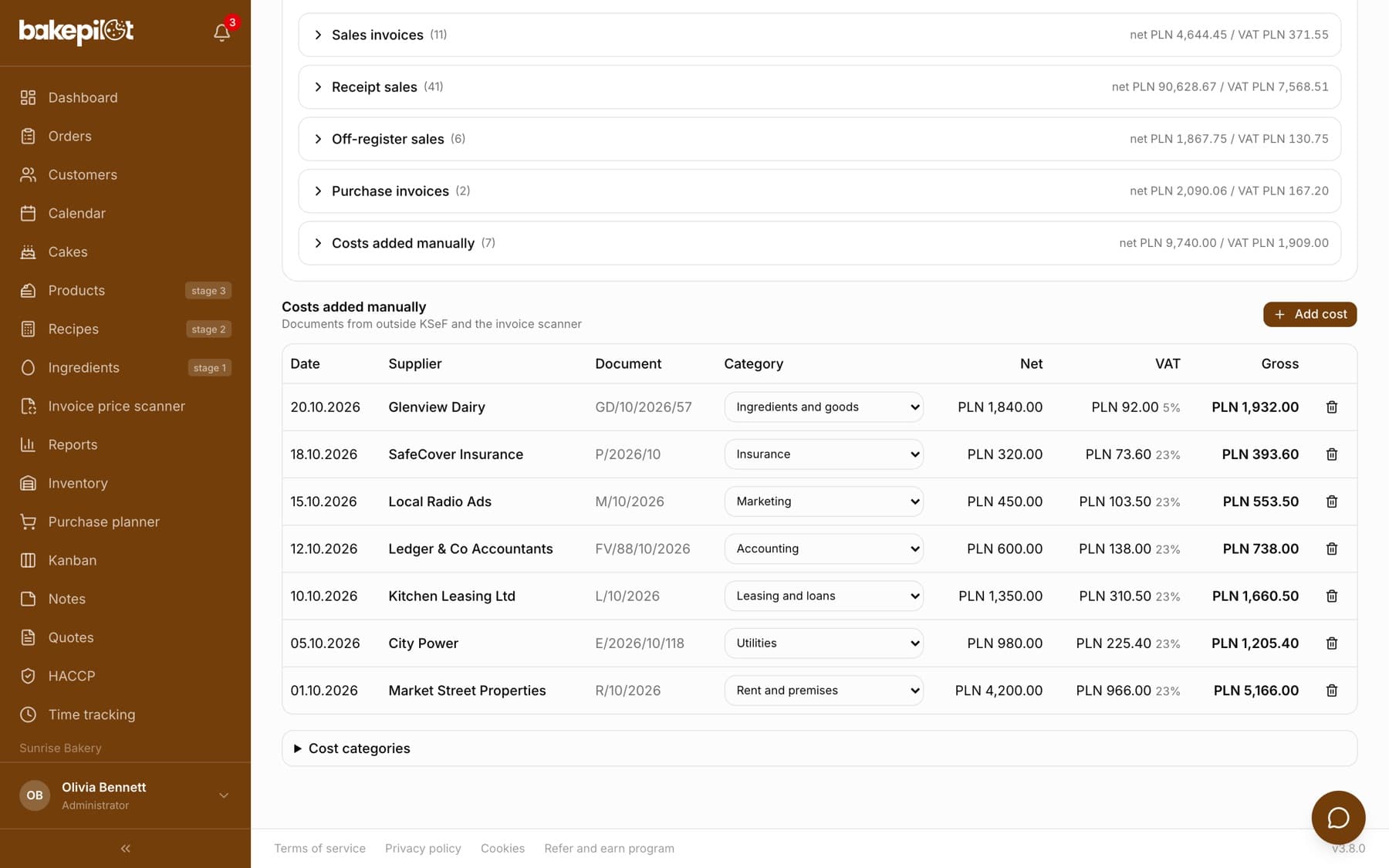
Not every cost reaches BakePilot by itself. Rent paid to a private person, a fuel receipt, an invoice from a foreign supplier - such documents are neither in KSeF nor in the scanner. You add them in the “Costs added manually” section at the bottom of the Finance tab, so that the input tax estimate is more complete.
- In the “Finance” tab, scroll to the “Costs added manually” section and click “Add cost”
- Enter the “Supplier” and optionally the “Document number”
- Set the “Cost date” - it decides which period the cost belongs to
- Enter the “Net” amount and choose the “VAT rate” - the “VAT amount” and “Gross” are calculated automatically
- Optionally enter a description in the “Category” and “Note” fields, then click “Add cost”
Tip: You can overwrite the “VAT amount” when the document shows an amount that differs by a few cents - the “Recalculate” button restores the value from the rate.
Cost category
A manually added cost has two fields related to the category. In the add window, the “Category” field is a plain description with suggestions (for example Rent, Utilities, Fuel). Separately, in the cost table, each row has a “Category” drop-down list with ready-made cost categories - it is this choice that counts toward the cost structure and the break-even point. Clicking a row opens editing, and the trash icon deletes the cost after confirmation.
What you should not add
Do not add documents manually that will arrive from KSeF anyway - they would go into the calculation twice. Wait for the automatic download or download invoices on demand in the Purchases tab. There is no point in adding documents in a foreign currency either: the tab excludes them and lists them as a gap, so as not to cloud the estimate with exchange rate conversions.
- Invoices from wholesalers in KSeF are downloaded automatically
- Documents in a currency other than PLN are skipped
- Skipped items are listed in the gaps, so you know what is missing
Frequently asked questions
I entered a bulk split and then filled in a few days - what happens?
Days with a daily split are taken into account first, and the bulk entry fills in only the remaining days. Sales are not counted twice.
I do not see the “Complete the period in bulk” button. Why?
It appears only when there are days without a split in the selected period or no daily reports at all. If all days have a split, there is nothing to complete.
I have an invoice from a supplier in Germany - should I add it manually?
You can add it to your purchase register, but it will not go into the VAT estimate. Documents in a currency other than PLN are skipped and shown as a gap - your accounting handles their settlement.
How far back can I complete periods?
As far as you like, as long as you have the monthly fiscal reports from your cash register. The bulk entry applies to the period selected in the Finance tab.