
Sales statistics
Monthly revenue, comparison with the previous month, days of the week, top products.
Last updated:
Where the numbers come from
The “Analytics” module combines two sources. Revenue, number of customers and average basket come from daily reports - that is the takings from the cash register, and if part of the sales from sales channels (for example delivery platforms) is not rung up on the register, also those off-register sales, just like in the Reports module. Top products and order statuses come from orders. If you do not keep daily reports, the revenue chart will be empty even though there are orders in the system.
- Revenue and customers = daily reports: cash register takings plus off-register sales
- Top products and statuses = orders from the last 30 days
- Top customers = total order value from the customer card
Tip: The fastest way to fill analytics with history is to import daily reports from Excel - the chart will show previous months right away.
Cards at the top
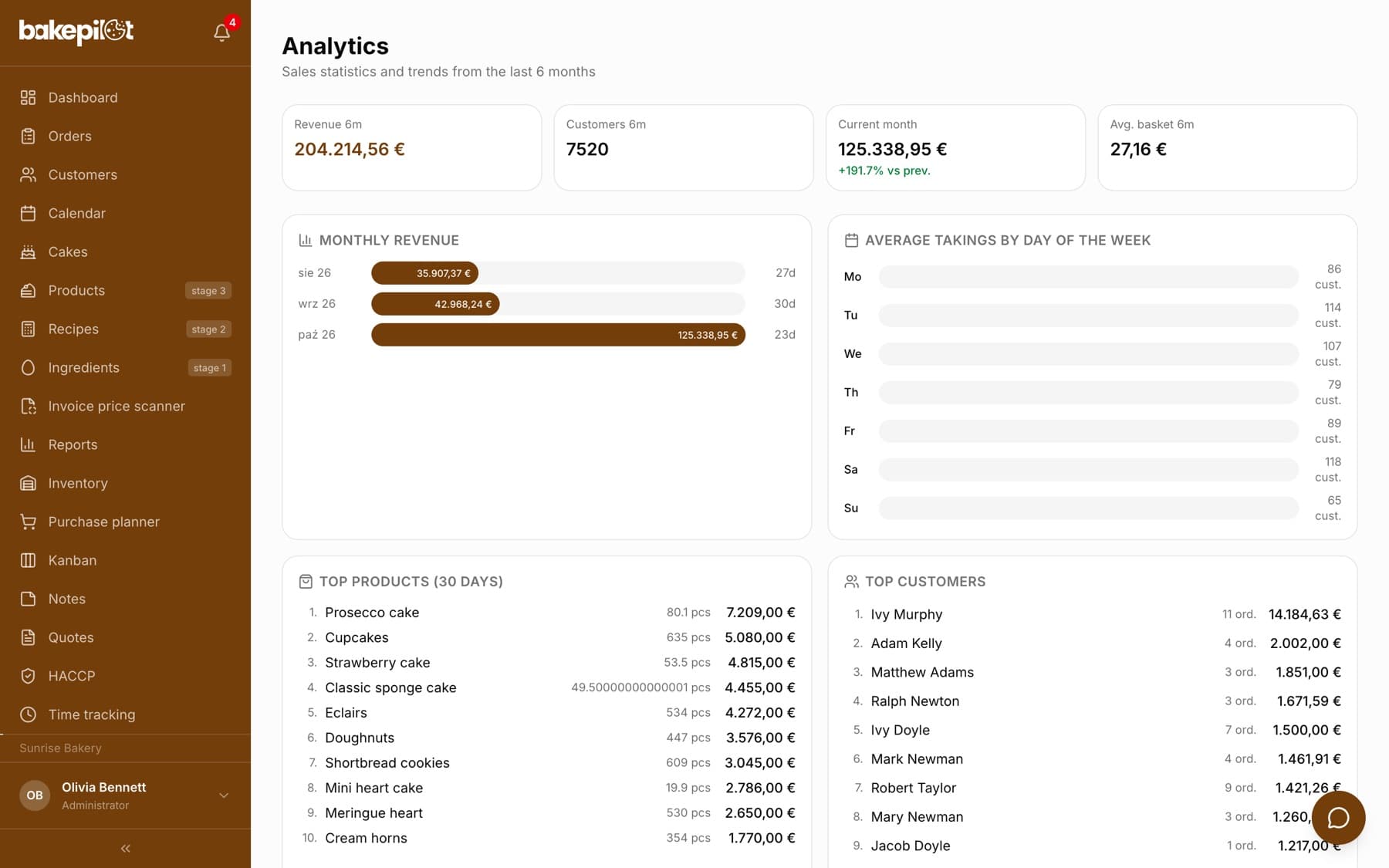
Four cards summarize the last six months: “Revenue 6m”, “Customers 6m”, “Current month” and “Avg. basket 6m”. Under the current month amount you see the percentage change against the previous month, for example “-12.4% vs prev.” - in green for growth, in red for a drop.
- “Revenue 6m” - total takings from daily reports over 6 months
- “Customers 6m” - total number of customers from the reports
- “Current month” with the percentage change against the previous one
- “Avg. basket 6m” = revenue / number of customers
Tip: The comparison with the previous month is sensitive to the season and to how many days of the current month have already passed - a drop at the start of the month is normal, not an alarm.
Monthly revenue and days of the week
The “Monthly revenue” chart shows a bar for each of the last 6 months with the amount and the number of days that have a report. Next to it is “Average takings by day of the week” from the last 90 days: the average amount and the average number of customers for Monday, Tuesday and every following day - you can see which day really makes money.
- One bar per month, amount and number of days with a report (for example “26d”)
- Average takings and average number of customers per day of the week (for example “135 cust.”)
- Fixed ranges: 6 months for the chart, 90 days for the days of the week
Top products and order statuses
“Top products (30 days)” are the ten products with the highest revenue in confirmed, in production, ready and handed over orders from the last 30 days by pickup date. Next to each one you see the quantity sold and the amount. At the bottom of the page, “Order statuses (30 days)” shows how many orders are in each status.
- Top 10 products by revenue
- Quantity sold and revenue
- No category filter and no percentage share - the list is fixed
- Cancelled orders do not count toward top products