Refer and earn
Your referral code, commission tiers and ready-made texts to share.
Last updated:
How it works
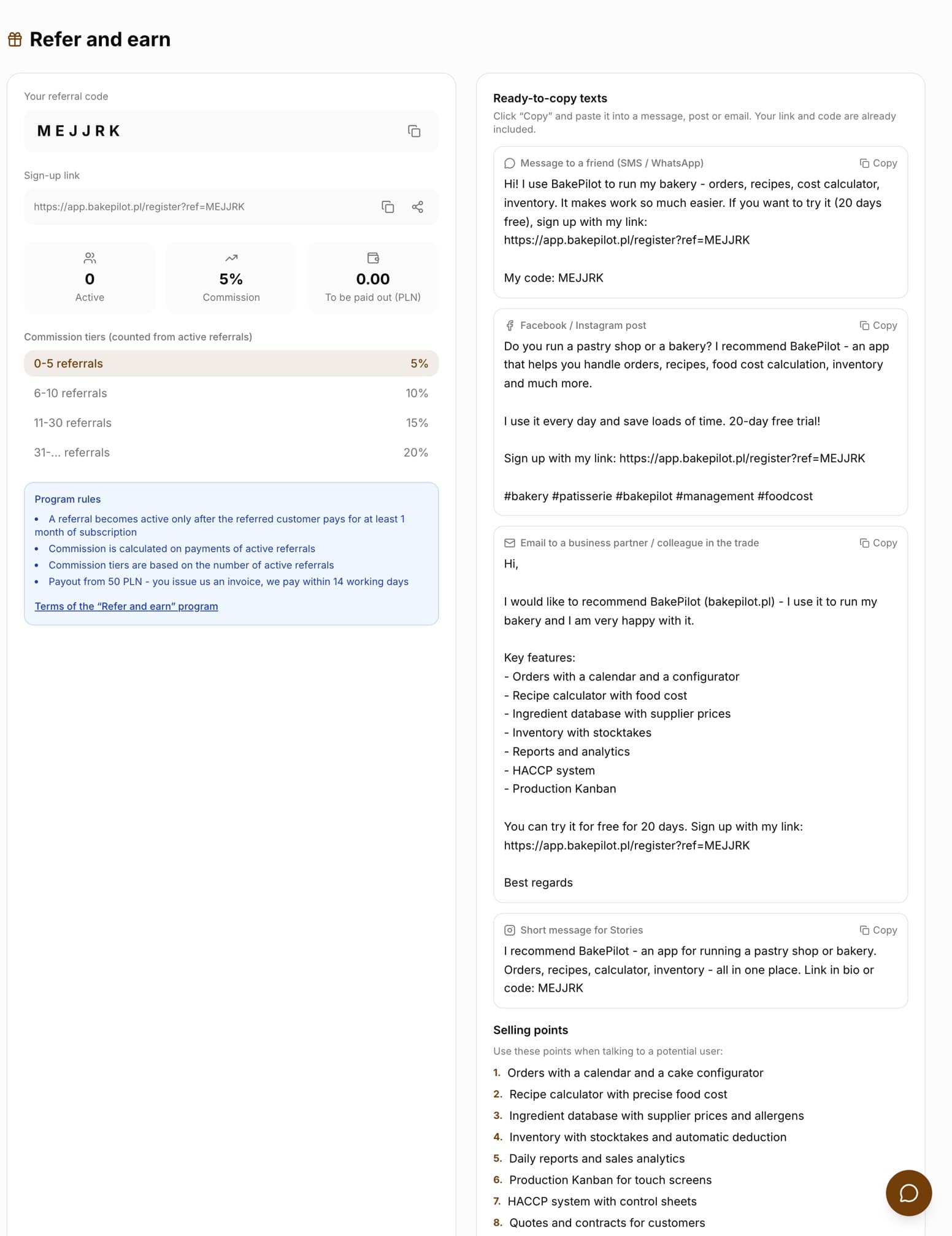
Every organization has a six-character referral code and a sign-up link with that code. When another bakery creates an account from your link or enters the code in the “Referral code” field during sign-up, it becomes your referral. A referral becomes active once the referred bakery has paid for at least one month of subscription - from then on we credit you a commission on its payments.
- You will find the code and the link on the “Refer and earn” page - in the user menu (bottom left corner) or in the app footer
- A referral becomes active once the referred bakery has paid for at least one month
- Commission is credited on payments from active referrals
- Payout from 50 PLN - you issue us an invoice and we pay within 14 business days
Tip: The full rules are in the program terms - the Terms of the “Refer and earn” program link in the “Program rules” box.
Commission tiers
The commission rate depends on the number of active referrals and grows with each tier. Your current tier is highlighted on the program page, and the “Commission” tile shows the rate that applies to you.
- 0-5 referrals - 5%
- 6-10 referrals - 10%
- 11-30 referrals - 15%
- 31 or more referrals - 20%
Tracking referrals
The “Refer and earn” page has three tiles: “Active” (with a note about pending referrals), “Commission” and “To be paid out (PLN)”. Below them, once you have referrals, the “Your referrals” list appears with the name of the referred bakery, sign-up date, status and the commission credited.
- Referral statuses: “Pending” (has not paid for a subscription yet), “Active”, “Cancelled”
- “To be paid out (PLN)” - the total commission credited and not yet paid out
- The commission amount in PLN next to each active referral