
Wafer Package - cake wafer designs saved to your account
A paid account just for the wafer designer, with no company and no tax number: a design archive with no expiry, an image library, a diameter table and saving from the free designer. PLN 20 a month including VAT.
Last updated:
What the Wafer Package is
The Wafer Package is a separate account in the BakePilot app just for designing and storing cake wafers - for people and businesses that do not need the whole bakery app. The account has no organization, orders, recipes or sales invoices. You design in the same designer as in the Cakes module, and your designs stay in the account with no expiry date for as long as you pay for the package.
- Price: PLN 20 a month including VAT, no free trial, cancel at any time
- Panel menu: “Designs”, “Images”, “Diameters” and “Account”
- Limits: up to 300 designs and 1 GB for design and library images
- The free designer at bakepilot.pl/kreator-oplatkow stays free and needs no account
Sign-up and e-mail confirmation
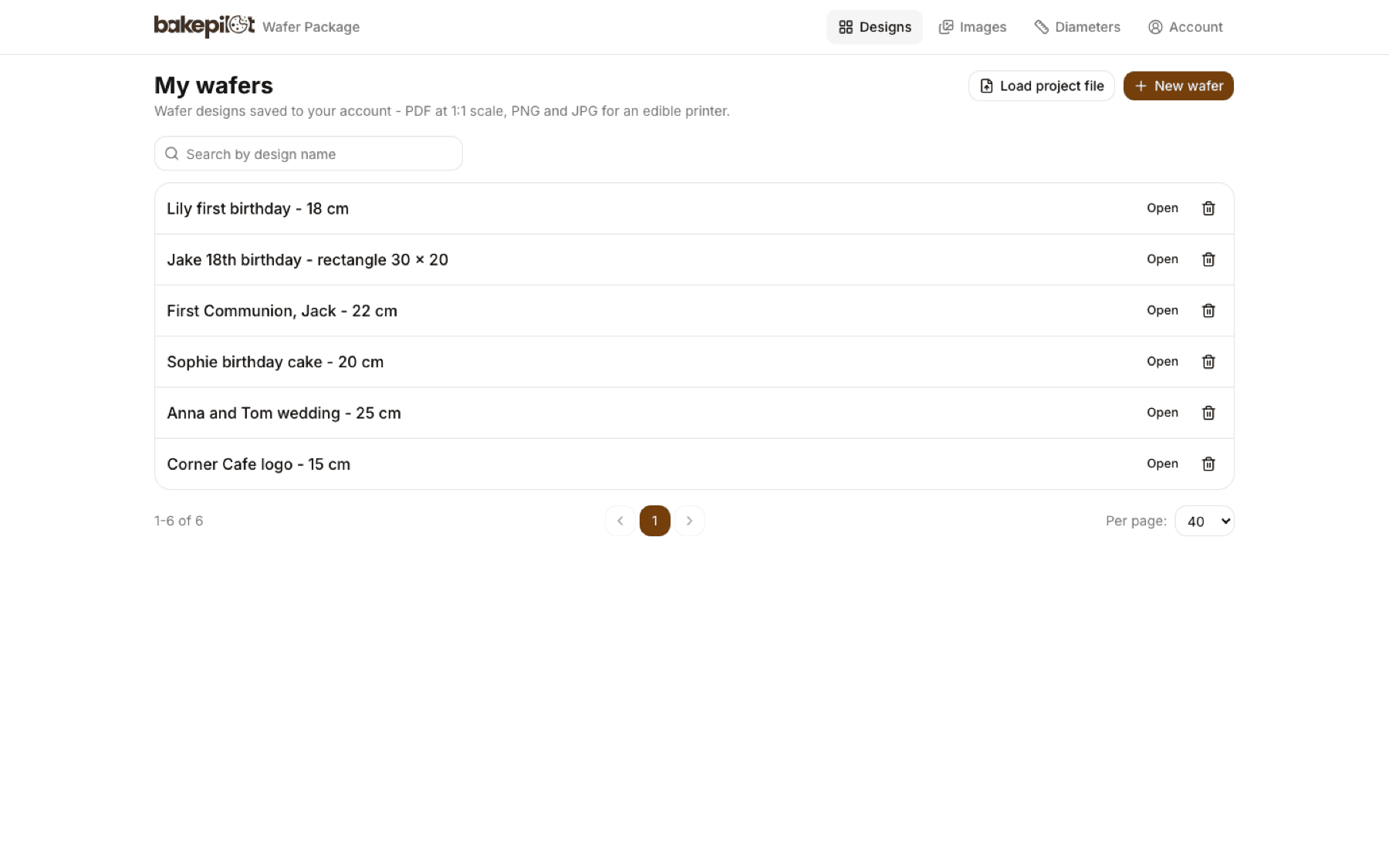
You create the account on the “Create a Wafer Package account” page (the “Create an account” button on the cake wafer designer page). You do not give a tax number or company details. Accepting the Wafer Package Terms is required, and the “I want to receive news about BakePilot by email” consent is optional.
- Enter your “Email address” and a “Password” (at least 8 characters)
- Tick “I accept the Wafer Package Terms and the Privacy Policy” and click “Create account”
- Open the message from BakePilot and click “Confirm email address” - the link is valid for 24 hours
- Log in at app.bakepilot.pl with the same e-mail and password - you land in the “My wafers” panel
Tip: We delete an account with an unconfirmed e-mail address after 7 days, so confirm the address right away.
Payment and invoice
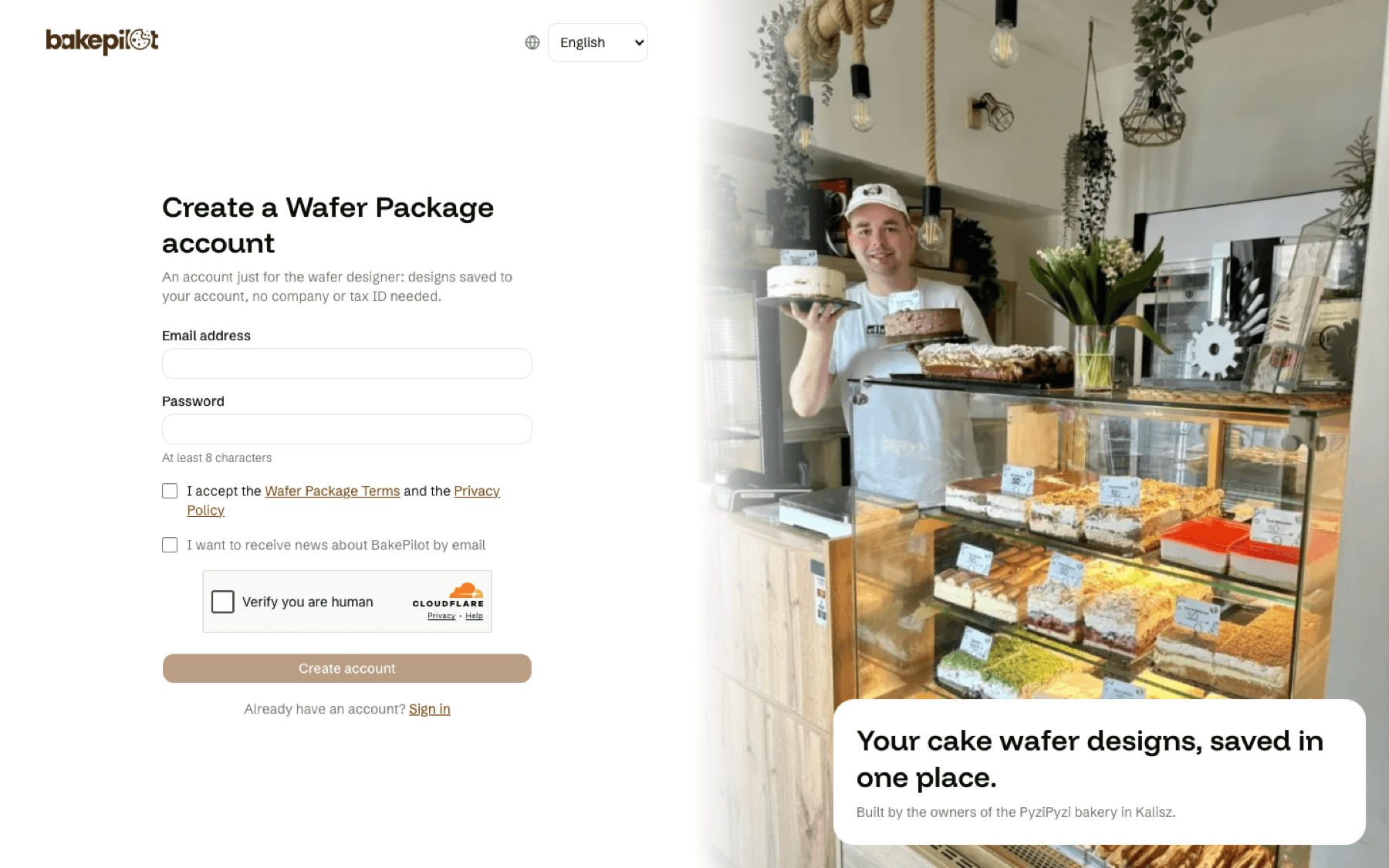
You start the payment in the “Account” tab, in the “Payment” card. The “Pay PLN 20 per month” button opens the Stripe payment page. The package renews every month, and for each payment you get a VAT invoice at the account e-mail address. A tax number is optional: you enter it on the payment page when you want an invoice for a company - without it the invoice is issued to you as a person.
- Before paying, tick the statement “I request that the service start before the 14-day withdrawal period ends…” - the payment does not start without it
- After you return from the payment page the package switches on within a few seconds; the “waiting for payment confirmation” message disappears by itself, and “Check again” refreshes the status
- Invoices for businesses with a tax number go to KSeF; the “Invoices” list in the Account tab shows the number, the date and a link to the document
- “Manage payment” opens the Stripe customer portal, where you change the card or cancel the package
- “Package status”: “Awaiting payment”, “Active”, “Payment overdue”, “Cancelled”, “Payment due” or “Being deleted”
Designs and the editor
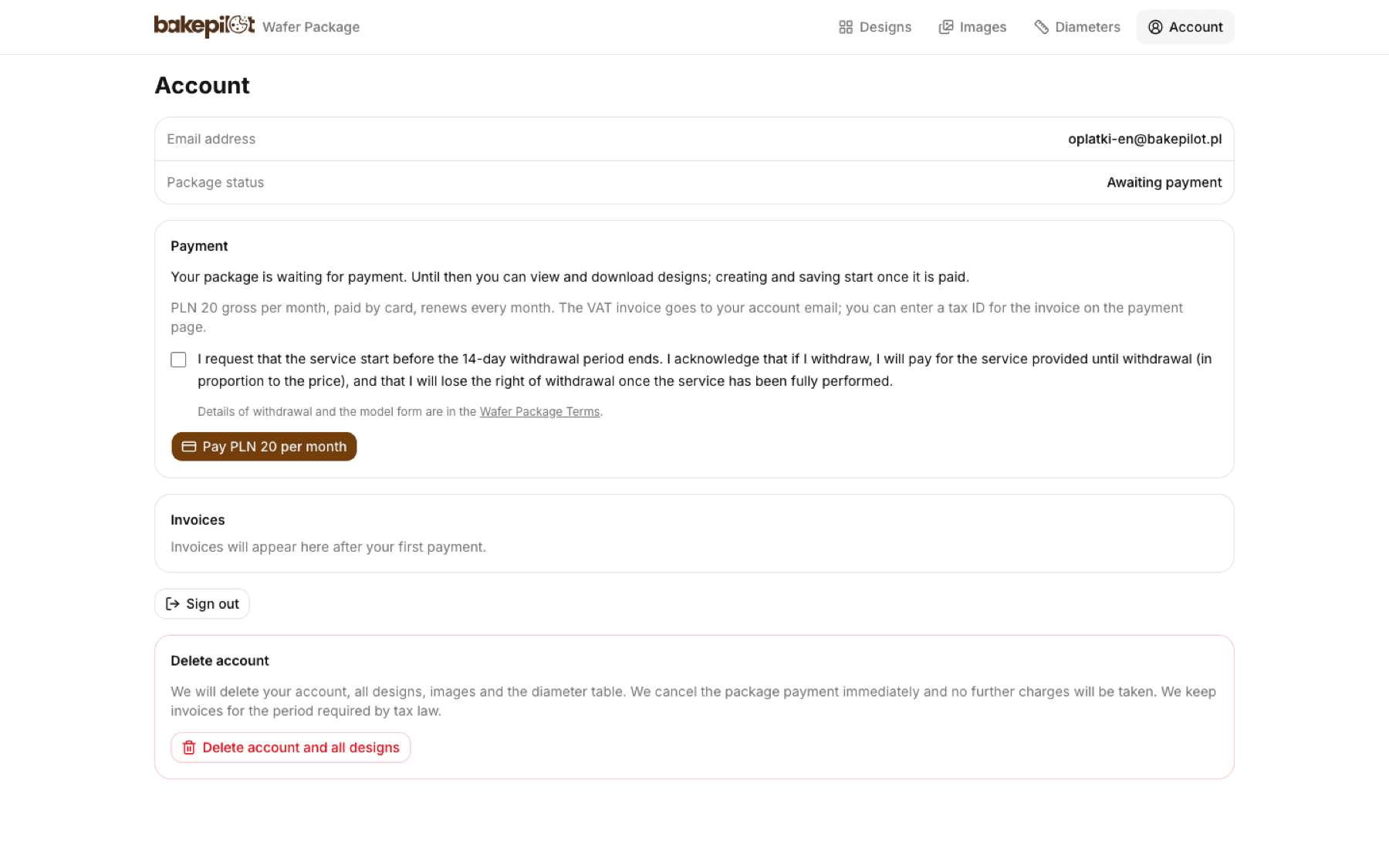
The “Designs” tab is the “My wafers” list: the newest designs at the top, search by name and pages when you have many designs. “New wafer” creates a design, and the editor works the same as in the Cakes module - the tools, printing at 100% scale and the PDF, PNG and JPG files are described in the wafer designer article.
- “Load project file” adds a design from a file downloaded in the free designer with “Download project file”
- Without a paid package you can view and download designs, and creating designs and saving changes start after payment
- The package holds up to 300 designs; at the limit, delete a design you no longer need
Images and diameters
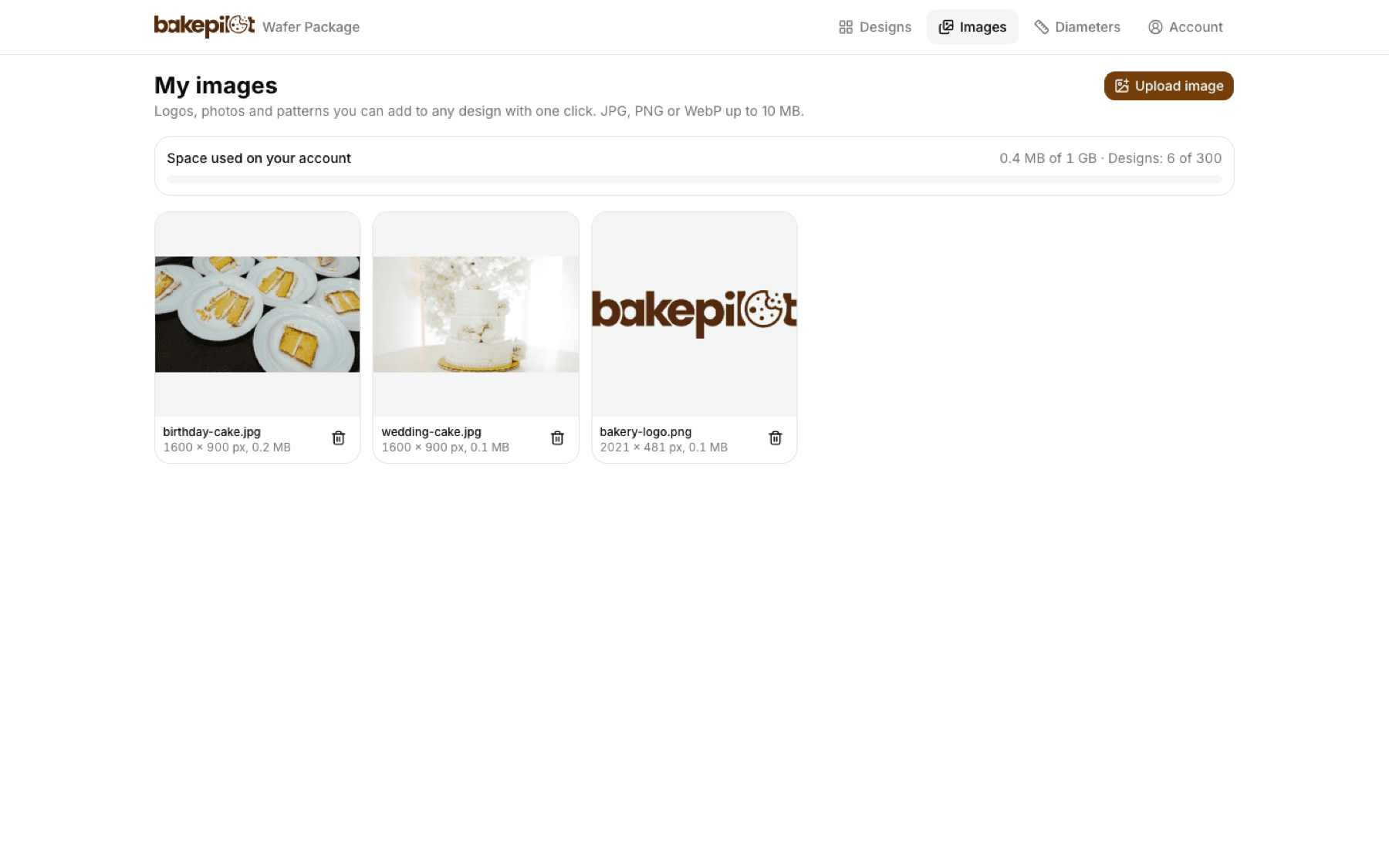
In the “Images” tab you keep the logos, photos and patterns you use often. In the editor you insert them with “From my images”. The “Diameters” tab is your “Wafer diameters” table: a cake of a given weight or number of servings gets a wafer of a given diameter.
- “Upload image”: JPG, PNG or WebP up to 10 MB
- The “Space used on your account” counter shows MB out of 1 GB - it includes design and library images
- Deleting an image from the library does not change the designs that already use it
- The diameter table has default values (e.g. 1.5 kg - 17 cm) that you change to your own
Saving a design from the free designer
The free designer at bakepilot.pl/kreator-oplatkow has a “Save to cloud” button. It opens a new app tab with the “Save design to cloud” screen and moves the design there together with its images.
- In the free designer click “Save to cloud”
- In the new tab log in to your Wafer Package account or create one
- Check the design name and click “Save design” - the design appears in the “Designs” tab
Tip: The design waits in this browser for 24 hours, so you can create the account and confirm the e-mail first. If the browser blocks the new tab, use “Download project file” and load the file in the “Designs” tab. A design can have up to 30 images, 60 MB in total.
7 days to pay and data deletion
The package has no free trial. You have 7 days from creating the account to pay - without payment we delete the account and all designs. The panel then shows the deletion date and the number of days at the top, and we send an e-mail reminder before the deadline.
- Unpaid account: reminders 3 days and 1 day before deletion
- After the paid period ends (cancellation or a failed payment) you can browse and download designs for 7 days, without editing; paying during this time restores full access
- Deleted data cannot be restored - download the files you want to keep beforehand
Cancellation and account deletion
You cancel the package in the “Account” tab with the “Manage payment” button - the package runs until the end of the paid month, and then design preview stays for 7 days. You can delete the account and all data straight away.
- In the “Account” tab click “Delete account and all designs”
- Type the confirmation word DELETE and click “Delete permanently”
- We cancel the package payment immediately, and a deletion confirmation goes to the confirmed e-mail address
Tip: We keep invoices for the period required by tax law, also after the account is deleted.
Frequently asked questions
Does the Wafer Package give access to the bakery app?
No. It is a separate account just for the wafer designer, with no orders, recipes or sales invoices. The wafer designer is also in every BakePilot app plan, in the Cakes module.
Can I get an invoice for my company?
Yes. Enter your tax number on the Stripe payment page - the VAT invoice is issued to the company and goes to KSeF. Without a tax number the invoice is issued to you as a person. Both arrive at the account e-mail address.
What happens to my designs after I cancel?
The package runs until the end of the paid month. Then you can browse and download designs for 7 days, and after that we delete the account and all data. Paying for the package during those 7 days restores full access.